Cloud Cost Optimization for Generative AI: Scheduling, Autoscaling, and Spot
 Dec, 31 2025
Generative AI isn’t just expensive-it’s cost-obsessed. In 2025, companies are spending more on AI than ever before, and most of that money is vanishing into idle GPUs, overprovisioned models, and runaway inference calls. One misconfigured job can burn through $50,000 in a month. But here’s the truth: you don’t need to spend less to do more. You need to work smarter.
Why Generative AI Costs Are Out of Control
Most teams treat generative AI like a black box. You send a prompt, you get an answer, and you pay whatever the cloud charges. But behind that simple exchange are hundreds of tokens processed, models loaded, and GPUs spinning-even when no one’s using them. According to CloudZero’s 2025 report, generative AI is now the single biggest cost driver in cloud spending, accounting for 60% of all AI budgets. And 55% of organizations are still overprovisioning because they’re using the same old rules for a brand-new problem. Traditional cloud cost tools look at CPU usage or memory. But AI doesn’t care about that. It cares about tokens per second, inference latency, model routing, and idle time between batch jobs. If you’re managing AI costs like you manage web server costs, you’re already losing.Scheduling: Run AI When No One’s Looking
The cheapest compute is the compute you never pay for. That’s where scheduling comes in. Non-critical AI workloads-like training models, processing medical scans, or generating daily reports-don’t need to run at 3 p.m. They can wait until 2 a.m. Organizations using intelligent scheduling tools now see 15-20% savings just by shifting jobs to off-peak hours. Healthcare providers in Oregon, for example, schedule AI-powered X-ray analysis overnight. Not only does this cut costs by 30-50%, but it also aligns with lower electricity rates, making it greener too. AWS introduced its cost sentry mechanism for Amazon Bedrock in October 2025, letting teams enforce token usage limits based on time of day. You can set a rule: “No more than 10,000 tokens after 7 p.m.” or “Pause all batch jobs during business hours.” That’s not just cost control-it’s behavioral engineering. You don’t need fancy software to start. Even basic cron jobs with API call throttling can cut costs. But the real win? Predictive scheduling. Systems that learn from past usage patterns and auto-schedule jobs before demand spikes. That’s how Netflix keeps its recommendation engine running smoothly without overspending.Autoscaling: Let AI Decide How Much Power It Needs
Autoscaling for AI isn’t about CPU spikes anymore. It’s about query complexity. Think of it like a restaurant. Some customers order a coffee. Others order a five-course meal. You wouldn’t assign the same chef to both. That’s model routing-and it’s now a standard practice for top-performing AI teams. Netflix uses it to route simple user preference queries to a lightweight model (cheaper, faster) and sends complex content generation tasks to a larger, more expensive model. The result? 30% lower costs with zero drop in user satisfaction. But routing alone isn’t enough. Semantic caching is the silent hero. If 100 people ask, “What’s the capital of France?” you shouldn’t run the model 100 times. Store the answer once, reuse it. Pelanor’s 2025 case studies show companies cutting AI costs by 35-40% just by caching frequent responses. Modern autoscaling tools now track AI-specific metrics: tokens per second, average response time, model error rates. AWS’s cost sentry, for example, scales up when token usage hits a threshold-not when memory hits 80%. That’s the difference between guessing and knowing. And here’s the kicker: integrate cost checks into your CI/CD pipeline. Every time a new model is deployed, it should be automatically tested against a budget cap. If it exceeds it, the deployment blocks. No more surprise bills from untested experiments.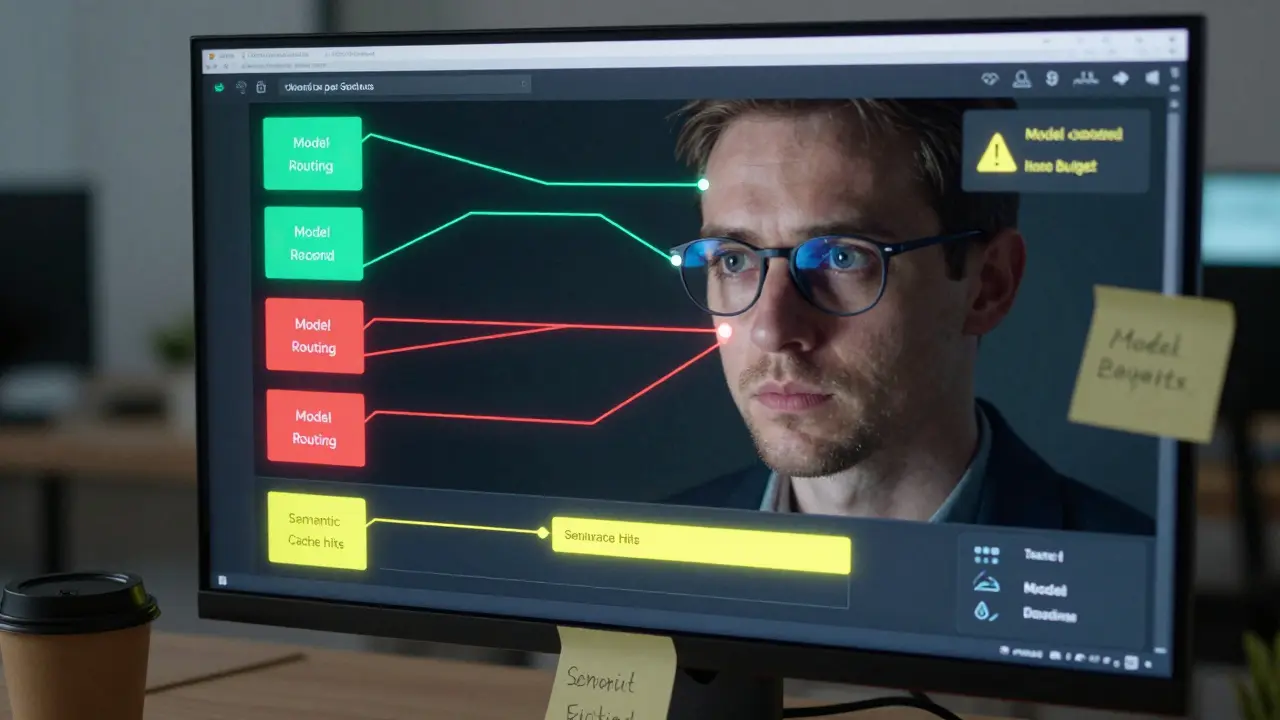
Spot Instances: The Secret Weapon Nobody Uses Right
Spot instances can save you 60-90% compared to on-demand pricing. But most teams fail with them-because they treat AI like a static workload. Spot instances get interrupted. Amazon, Google, and Azure can reclaim them with as little as two minutes’ notice. If you’re training a model and the instance vanishes, you lose everything. That’s why checkpointing is non-negotiable. Successful teams save their training progress every 15-30 minutes. When an instance is reclaimed, the job restarts from the last checkpoint, not from scratch. It adds a little overhead, but it’s worth it. One Reddit user saved $18,500 a month by switching batch AI processing to spot instances with checkpointing. Took him three weeks to set up. Worth it. Better yet? Use spot fallback. Tools like Google Cloud’s 2025 ROI framework let you define a hierarchy: try spot first, fall back to reserved if spot isn’t available, and only use on-demand as a last resort. This isn’t just省钱-it’s smart risk management. iLink Digital found that teams combining spot instances with predictive scaling (so they know when spot capacity will be high) achieved up to 75% savings. That’s not a bonus. That’s your new baseline.What You’re Probably Missing
You can’t optimize what you can’t measure. And most teams still can’t measure AI costs accurately. Here’s what you need:- 100% tagging compliance-every AI call, every model, every job must be tagged with cost centers, teams, and purposes. Without this, you’re flying blind.
- Per-model cost dashboards-know exactly how much each model costs per 1,000 tokens. Is your GPT-4 Turbo costing $0.03 per query? Or $0.08? Find out.
- Sandbox budgets-let data scientists experiment, but cap it. Give them $500/month to play with. When it’s gone, the system shuts off. No more “oops, I ran 200,000 prompts.”
- Integration with MLOps-cost checks belong in your pipeline, not in a spreadsheet your finance team updates once a quarter.

Who’s Doing It Right?
Look at the leaders:- Netflix uses model routing and caching to keep recommendation AI running at scale without breaking the bank.
- US Cloud’s healthcare clients schedule diagnostic AI overnight, saving 50% and aligning with utility rate discounts.
- CloudZero customers who treat cost as a strategic lever see 2.3x faster ROI on AI than those who don’t.
The Future Is Automated
By Q3 2026, Gartner predicts 85% of enterprise GenAI deployments will have automated cost optimization built in. Right now, it’s 45%. That gap is closing fast. The next wave won’t be about choosing spot vs. on-demand. It’ll be about cost-aware serving-where the cloud automatically picks the cheapest available model and infrastructure based on real-time pricing, performance, and demand. Organizations that treat cost optimization as part of AI development-not a separate task-see 3.1x higher ROI. Those who don’t? They pay 27% more to run the same models. This isn’t about being cheap. It’s about being smart. Generative AI isn’t going away. But the companies that survive-and thrive-are the ones who stop treating it like a magic box and start treating it like a machine. One that needs tuning. One that needs care. One that, if managed right, pays for itself.Can I use spot instances for real-time generative AI apps?
Not reliably. Spot instances can be reclaimed with little notice, which makes them unsuitable for real-time applications like chatbots or live translation. Use them only for batch jobs-training, batch processing, overnight reports. For real-time workloads, stick with on-demand or reserved instances, and use autoscaling with AI-specific metrics to keep costs under control.
How do I know if my AI model is costing too much?
Track cost per 1,000 tokens and compare it to your business outcome. If a model costs $0.10 per query but only improves user retention by 0.2%, it’s likely not worth it. Use per-model dashboards to compare efficiency. A good rule of thumb: if a model’s cost per successful output is higher than the value it creates, it’s time to optimize or replace it.
Is autoscaling for AI the same as for web apps?
No. Web apps scale on traffic volume-AI scales on complexity. One user asking for a summary might use 500 tokens. Another asking for a full report might use 15,000. Traditional CPU-based autoscaling won’t catch that. Use token rate, latency, and model type as triggers. AWS Bedrock and Azure AI now offer these metrics natively.
What’s the quickest way to cut AI costs today?
Start with scheduling and caching. Shift all non-urgent AI jobs to off-peak hours. Enable semantic caching for common prompts (like FAQs or standard reports). These two steps alone can cut your bill by 25-40% within a week, with no code changes needed.
Do I need a special tool to optimize AI costs?
Not to start. You can use native cloud tools like AWS Cost Explorer, Azure Cost Management, and Google’s AI cost reports. But if you’re running more than 5 models or have multiple teams using AI, a dedicated tool like CloudKeeper or nOps gives you visibility, tagging, sandbox budgets, and automated alerts. The ROI on these tools is usually under 30 days.
How long does it take to implement AI cost optimization?
If you already have FinOps practices in place, you can set up basic scheduling, tagging, and sandbox budgets in 4-6 weeks. If you’re starting from scratch, expect 12-16 weeks. The biggest delay isn’t technical-it’s getting data science and engineering teams aligned on budget rules. Start small: pick one model, one team, and optimize it first.
Next Steps
If you’re spending more than $5,000/month on generative AI, here’s your action plan:- Tag every AI call with team, model, and purpose. No exceptions.
- Set up a per-model cost dashboard using your cloud provider’s native tools.
- Shift all batch jobs to off-peak hours using basic scheduling.
- Enable caching for repeated prompts (start with FAQs and standard outputs).
- Give your data science team a $500/month sandbox budget with auto-shutdown.
- Review your usage every two weeks. Cut the model that’s costing the most per output.
Tiffany Ho
January 1, 2026 AT 06:21This is so true i just started using scheduling for our internal report generator and my boss was shocked when the bill dropped by 40% last month
no code changes just moved it to 2am
why didnt we do this sooner
michael Melanson
January 3, 2026 AT 02:33Spot instances with checkpointing saved us $22k last quarter. The setup was a pain but the savings are real. We use a simple python script to save model weights every 20 minutes. No fancy tools needed.
lucia burton
January 4, 2026 AT 20:33Let me be clear here-cost optimization for generative AI isn’t optional anymore, it’s existential. Companies that treat AI like a utility are going to get crushed. The real game-changer is cost-aware serving, which is going to be the default by 2026. We’re already seeing it in our production pipelines where the cloud dynamically routes queries to the most efficient model based on real-time pricing, latency, and token throughput. This isn’t just about cutting costs-it’s about architecting intelligence that adapts to economic reality. If you’re still using static provisioning, you’re not just inefficient-you’re obsolete.
Denise Young
January 5, 2026 AT 22:49Oh wow, so we’re pretending now that data scientists don’t just throw $5000 at GPT-4 Turbo because they ‘forgot to turn it off’? Classic. I’ve seen teams with sandbox budgets go from ‘oops i ran 200k prompts’ to ‘holy crap i can experiment without fear’-it’s not about control, it’s about giving them freedom with guardrails. And yes, the finance team finally stopped emailing us every time we spent $200. Progress.
Sam Rittenhouse
January 6, 2026 AT 21:59I want to thank the author for writing this. As someone who’s been on both sides-the team that got blindsided by a $15k bill and the team that finally got it right-I can say this: the moment we started tagging every model and tracking cost per 1000 tokens, everything changed. We stopped guessing and started knowing. And that’s not just smart engineering-it’s human. You’re not just saving money, you’re giving your team back their peace of mind.
Peter Reynolds
January 8, 2026 AT 14:40the caching part is huge i didnt realize how many times we were asking the same thing
once we started storing answers for common questions like capitals or dates our token usage dropped like a rock
no one even noticed until the bill came
Fred Edwords
January 8, 2026 AT 16:53It’s important to note, however, that while scheduling and caching are effective, they are not substitutes for comprehensive tagging, which is non-negotiable. Without accurate, granular, and consistent tagging across every model, every job, and every team, you cannot measure cost attribution, and without measurement, optimization is impossible. Furthermore, integrating cost checks into your CI/CD pipeline is not merely a best practice-it is a mandatory control. Failure to implement these three pillars-tagging, measurement, and automation-renders all other optimizations superficial.
Sarah McWhirter
January 9, 2026 AT 18:56you know what’s really happening? The cloud companies want you to think you need all this fancy tooling so they can charge you $25k/month for dashboards that just show you what they’re already charging you
they made AI expensive on purpose so you’d buy their ‘optimization’ packages
the real savings? Just stop using GPT-4 for everything
use open models on your own hardware
they’re cheaper and less creepy
Ananya Sharma
January 10, 2026 AT 06:36Everyone here is acting like this is some groundbreaking revelation, but let’s be real-this is just corporate cost-cutting dressed up as innovation. You’re telling me that a healthcare provider in Oregon saves 50% by running X-ray analysis at 2 a.m.? That’s not optimization-that’s exploitation. You’re pushing the burden of computational labor onto the grid’s low-demand hours, which means more strain on workers who have to monitor systems overnight. And you call that ‘greener’? What about the energy used by the servers themselves? And why are we still letting tech companies dictate what ‘efficient’ means? We’re not optimizing AI-we’re optimizing away accountability. This isn’t about saving money-it’s about making profit invisible. The real cost isn’t on your cloud bill-it’s in the erosion of ethical responsibility. And no, sandbox budgets don’t fix that. They just make the guilt easier to swallow.