How to Choose the Right Embedding Model for Enterprise RAG Pipelines
 Jan, 22 2026
Why embedding models make or break your RAG system
If your enterprise LLM keeps making up facts, the problem isn’t the language model-it’s the embedding model. You can have the most powerful LLM in the world, but if your embedding model can’t find the right documents in your knowledge base, your answers will be wrong. And it’s not just about accuracy. Slow embeddings mean users wait. Poorly tuned embeddings mean irrelevant results. And in regulated industries like finance or healthcare, bad embeddings can lead to compliance failures.
Embedding models turn text into numbers-vectors-that capture meaning. When you ask a question, your system converts it into a vector, then finds the closest vectors in your database of documents. The better the match, the better your answer. But not all embedding models are built the same. Some are fast but shallow. Others are accurate but heavy. And many fail completely when they encounter industry jargon.
Enterprise RAG systems don’t work with Wikipedia. They work with internal manuals, legal contracts, medical records, and product specs. Generic models trained on public data don’t understand your terms. That’s why 25-35% more hallucinations happen when companies skip domain-specific fine-tuning, according to amazee.io’s 2024 findings.
What to look for in an enterprise embedding model
Here’s what actually matters when you’re choosing an embedding model for production:
- Dimension size: Most modern models output 768, 1024, or 3072-dimensional vectors. Higher dimensions capture more nuance but use more memory and slow down searches. BGE-M3 uses 3072 dimensions and leads in accuracy-but it’s overkill if you’re serving simple FAQs.
- Latency: Embedding generation must happen in under 100ms per query for real-time apps. GreenNode.ai’s tests show models like Mistral Embed and E5-Small hit this target, while larger models add 40-60ms.
- Vector database compatibility: Your model must speak the same language as your vector store. BGE models integrate cleanly with Pinecone, Qdrant, and Weaviate. Others require custom adapters or fail silently.
- Multilingual support: If your enterprise operates globally, you need a model that handles French, German, Japanese, and Spanish without dropping accuracy. BGE-M3 is the only open-source model with consistent multilingual performance across MTEB benchmarks.
- Cost: OpenAI’s text-embedding-3-large costs $0.13 per 1,000 tokens. BGE-M3? Free. But you pay in infrastructure. Self-hosting requires GPU memory and maintenance. Consider total cost of ownership, not just licensing.
Top embedding models for enterprise RAG in 2026
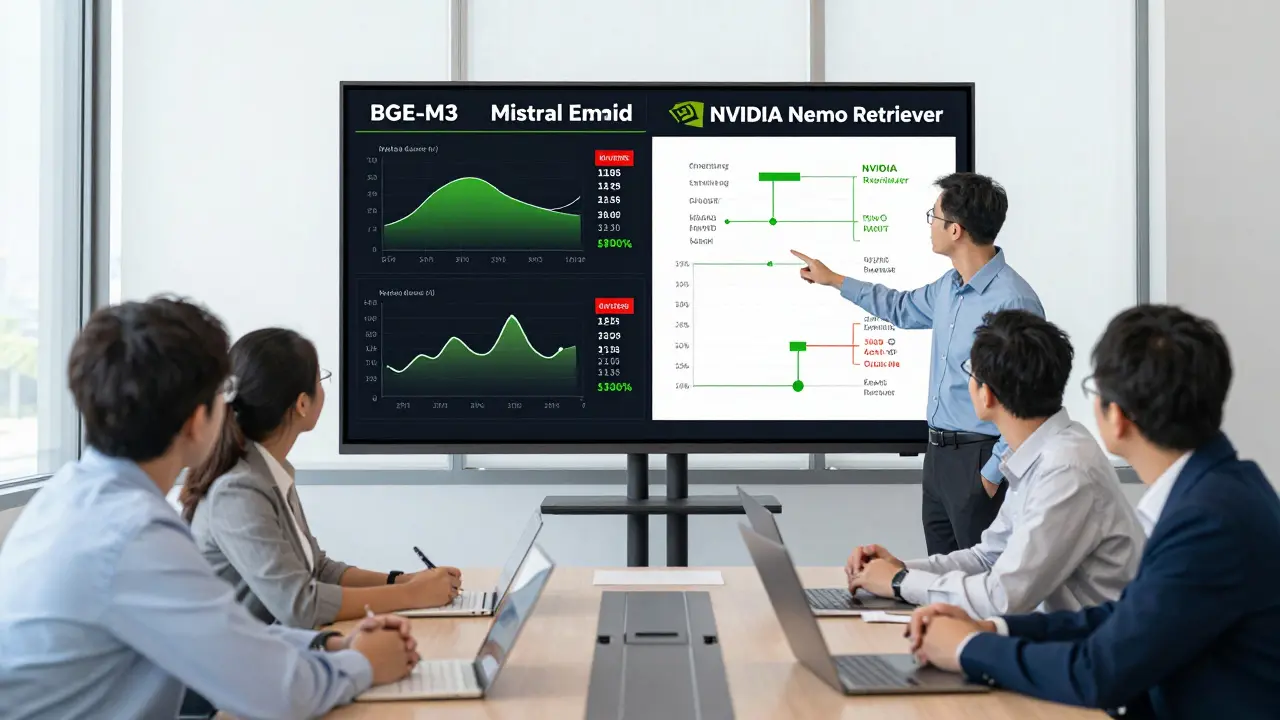
Based on real-world benchmarks from NVIDIA, GreenNode.ai, and enterprise deployments in Q4 2024, here are the leading options:
| Model | Dimensions | Latency (ms/query) | Accuracy (MTEB Score) | Cost | Best For |
|---|---|---|---|---|---|
| BGE-M3 Open-source multilingual embedding model from Beijing Academy of AI | 3072 | 85 | 67.82 | Free (self-hosted) | Global enterprises, multilingual docs, high accuracy needs |
| NVIDIA NeMo Retriever Optimized embedding model for enterprise-scale throughput | Proprietary | 65 | Not public | Commercial license | Large-scale deployments, NVIDIA hardware users, high-throughput APIs |
| Mistral Embed Lightweight model designed for low-latency conversational RAG | 1024 | 42 | 64.15 | Free | Chatbots, real-time Q&A, mobile and edge deployments |
| OpenAI text-embedding-3-large Commercial model with 3072 dimensions and strong multilingual support | 3072 | 95 | 66.94 | $0.13 per 1,000 tokens | Organizations avoiding self-hosting, needing quick deployment |
| E5-Small Efficient open-source model with fast inference and solid accuracy | 768 | 38 | 61.80 | Free | High-volume, low-latency use cases, budget-constrained teams |
Don’t pick based on leaderboard scores alone. BGE-M3 wins on MTEB, but if your users expect instant answers, Mistral Embed might be better. NVIDIA’s model isn’t public about its numbers, but it’s built for throughput-ideal if you’re serving thousands of queries per minute.
The hidden danger: Embedded Threats
Most teams treat vector databases like black boxes. They assume if a document is in there, it’s safe. That’s a mistake.
Research from Prompt Security in November 2024 showed that a single poisoned embedding-deliberately crafted to look like a legitimate document-could hijack retrieval across dozens of queries with 80% success. The LLM would then generate answers based on that fake document, and users would never know.
This isn’t theoretical. One financial services firm in Chicago lost $2.3M in 2024 after an attacker injected misleading regulatory text into their internal knowledge base. The embedding model retrieved it as a trusted source. The LLM generated compliance advice based on it.
Fix this by:
- Validating all documents before embedding
- Monitoring for unusual vector clusters
- Using watermarking or cryptographic hashing on source documents
- Limiting write access to your vector database
Embeddings aren’t just math. They’re text in disguise. Treat them like code-because they are.

Fine-tuning isn’t optional-it’s mandatory
Generic models fail on jargon. Try asking a BGE model to find "Tier 2 SLA" in a cloud contract or "CPT-4 coding" in a hospital record. It won’t know what those mean.
Dr. Sarah Chen from NVIDIA says enterprises need to fine-tune their embedding models on proprietary data to hit above 85% retrieval accuracy. That means taking your internal documents-manuals, emails, tickets, policies-and training the model on them.
How to do it:
- Collect 500-2,000 labeled examples of questions and their correct source documents
- Use a base model like BGE-M3 as your starting point
- Train on your data using Hugging Face’s Trainer or NVIDIA NeMo Framework
- Validate with a held-out test set-don’t just trust training accuracy
One healthcare provider in Oregon reduced hallucinations by 41% after fine-tuning on 1,200 patient discharge summaries. They didn’t change their LLM. They just made the embedding model understand their language.
Implementation pitfalls and how to avoid them
Here’s what goes wrong in 70% of enterprise RAG projects:
- Dimension mismatch: You embed documents with a 3072-dim model but query with a 768-dim model. The system crashes or returns nonsense. Always match dimensions across pipeline stages.
- Chunk size chaos: Documents split into 50-token chunks? Too small. 1000-token chunks? Too big. Stick to 300-500 tokens. Nimbleway’s 2024 guide shows this range maximizes retrieval precision.
- Latency spikes: Peak hours slow everything down. Use vLLM or ONNX Runtime to optimize inference. Lenovo’s 2025 paper shows ONNX can boost speed by 1.9x.
- Manual data cleaning: If you’re editing documents by hand before embedding, you’re losing time and consistency. Automate preprocessing with tools like LangChain or LlamaIndex.
- Ignoring documentation: BGE has 4.2/5 stars on Hugging Face. Some commercial models? 2.8/5. Poor docs mean wasted weeks. Read the GitHub issues before you commit.
What the experts say about budget and ROI
Gartner’s 2025 Market Guide says you should spend 15-20% of your RAG budget just on embedding selection and tuning. That’s not a suggestion-it’s a warning.
Forrester’s January 2025 analysis found that companies investing in optimized embeddings saw 3.2x higher ROI within 18 months than those using default models. Why? Because embedding quality directly impacts:
- Customer satisfaction (fewer wrong answers)
- Support ticket volume (less human intervention)
- Compliance risk (fewer regulatory violations)
- Employee productivity (faster access to correct info)
One Fortune 500 company reported a 22% increase in answer relevance after switching from Sentence-BERT to BGE-M3. They also cut latency by 17% using ONNX optimization. That’s not a tweak. That’s a transformation.
What’s next? Multimodal embeddings and compliance
Embedding models are evolving fast. NVIDIA’s 2025 blueprint points to multimodal models that can embed not just text, but tables, charts, audio transcripts, and even PDF layouts. That’s critical-your knowledge base isn’t just plain text. It’s contracts with tables, manuals with diagrams, emails with attachments.
And compliance? The EU AI Act (effective February 2025) requires audit trails for all data used in AI systems. That means you need to track:
- Which document was retrieved for each answer
- When it was embedded
- Who approved it
- Whether it was modified
Most vector databases don’t do this out of the box. You’ll need to layer in metadata logging or use platforms like Weaviate with built-in provenance tracking.
Start here: Your 3-step embedding model checklist
- Test with your data: Don’t trust benchmarks. Run a sample of your real documents through 3 candidate models. See which one retrieves the right answers most often.
- Measure latency under load: Simulate 50 concurrent queries. Does performance drop? Which model holds up?
- Plan for fine-tuning: Even the best model needs your jargon. Budget 2-4 weeks to train it on your internal documents.
Embedding models are the silent gatekeepers of your RAG system. Get them right, and your LLM becomes trustworthy. Get them wrong, and you’re just automating lies.
What’s the difference between an embedding model and a language model?
A language model (like GPT or Llama) generates text. An embedding model turns text into numbers-vectors-that represent meaning. In RAG, the embedding model finds relevant documents; the language model turns those documents into human-like answers. They work together but do completely different jobs.
Can I use the same embedding model for all my RAG applications?
No. A model optimized for fast chatbot responses (like Mistral Embed) won’t work well for legal document retrieval, which needs deep semantic understanding. Use BGE-M3 or fine-tuned models for complex, high-stakes use cases. Use lighter models for simple Q&A. Match the tool to the task.
Do I need GPU hardware to run embedding models?
For production, yes. Even lightweight models like E5-Small need at least 8GB of GPU memory to run efficiently at scale. You can test on CPU, but you’ll hit latency walls fast. Cloud providers like AWS and Azure offer optimized embedding endpoints if you don’t want to manage hardware.
How often should I retrain my embedding model?
Retrain every 3-6 months, or whenever your knowledge base changes significantly-like after a product launch, policy update, or merger. Embedding models drift over time as language evolves. If your documents change, your embeddings must too.
Is open-source better than commercial for enterprise RAG?
Open-source models like BGE-M3 lead in accuracy and cost savings, but commercial models like NVIDIA NeMo Retriever offer better support, integration, and enterprise SLAs. Most companies use a hybrid approach: open-source for core retrieval, commercial for support and scaling. Pick based on your team’s expertise and risk tolerance.
Next steps: What to do today
Don’t wait for perfect. Start now:
- Grab 100 sample documents from your internal knowledge base.
- Run them through BGE-M3, Mistral Embed, and OpenAI’s text-embedding-3-large using Hugging Face or LangChain.
- Ask 10 real questions your team asks daily. Which model returns the correct document most often?
- Measure how long each takes to respond.
- Write down your results. That’s your baseline.
Embedding models aren’t magic. They’re tools. And like any tool, you need to pick the right one for the job-and maintain it. The best RAG system isn’t the one with the biggest LLM. It’s the one with the smartest embedding model.
kelvin kind
January 23, 2026 AT 14:52Just run the damn test with your own docs. No benchmark matters if your internal SOPs get ignored.
Denise Young
January 24, 2026 AT 18:28Ananya Sharma
January 25, 2026 AT 21:05Ian Cassidy
January 27, 2026 AT 04:38Zach Beggs
January 28, 2026 AT 14:25