How Tokenizer Design Choices Shape Large Language Model Performance
 Jan, 19 2026
When you type a question into a chatbot, it doesn’t see words like you do. It sees numbers. And those numbers come from a tokenizer - a quiet but powerful part of the AI system that decides how to chop up text into pieces the model can understand. Get this wrong, and even the most advanced LLM will stumble over basic tasks. Get it right, and you unlock better accuracy, faster responses, and lower costs. Tokenizer design isn’t just preprocessing. It’s the first and most critical decision in training a language model.
What Tokenizers Actually Do
At its core, a tokenizer turns text into tokens - small chunks that map to numbers. These tokens can be whole words, parts of words, or even single characters. The goal? To balance efficiency and meaning. Too few tokens, and the model can’t capture nuance. Too many, and it wastes memory and slows down training.
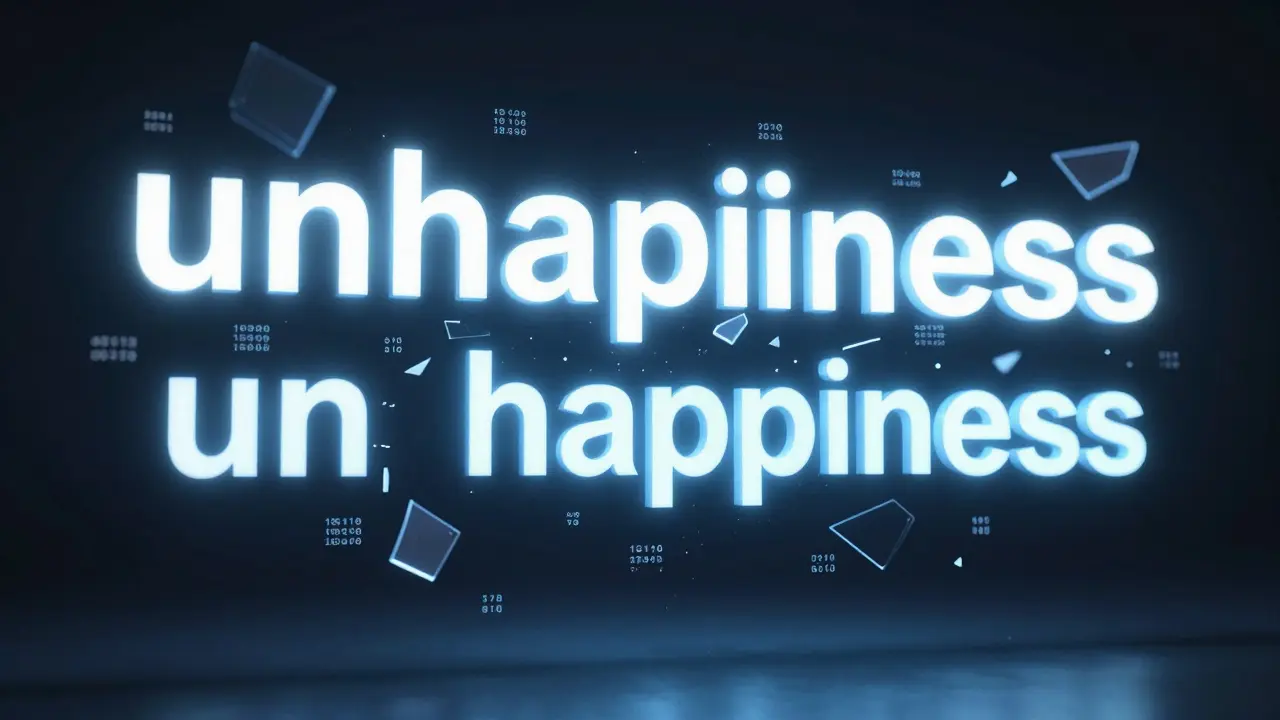
Early models used fixed vocabularies - like dictionaries of 50,000 common words. But languages are messy. What do you do with "unhappiness"? Or "123456789"? Splitting words into subparts became the solution. That’s where Byte-Pair Encoding (BPE), WordPiece, and Unigram Language Models came in. They’re all subword tokenizers, but they work in very different ways.
BPE: The Default Choice for Most Models
BPE starts with individual characters and merges the most common pairs over time. For example, if "th" and "he" appear often, they get merged into "the". Then, if "the" and "l" are often next to each other, they become "thel". This keeps going until you hit your target vocabulary size - say, 50,000 tokens.
OpenAI’s GPT models use BPE with around 50,000 tokens. It’s simple, reliable, and works well across many languages. But BPE has a blind spot: it favors frequency over meaning. If a rare word like "quantum" appears only a few times, it might get split into "qu", "an", "tum" - losing its semantic unity. That’s fine for general text, but bad for technical domains where compound terms matter.
WordPiece: Precision Over Popularity
WordPiece, used in Google’s BERT, doesn’t just look at what appears most often. It picks merges based on statistical likelihood. Think of it as asking: "Which split gives us the best chance of predicting the next word?"
This approach gives WordPiece an edge in tasks that need fine-grained understanding - like question answering or sentiment analysis. It tends to preserve meaningful subwords better than BPE. For example, "unhappiness" might stay intact as one token because it’s statistically useful in context, even if it’s rare.
But that precision comes at a cost. WordPiece models are 10-15% slower to train and require more memory. And because it’s optimized for likelihood, not compression, it often generates longer sequences than BPE. That means more compute per input.

Unigram: The Compression Champion
Unigram flips the script. Instead of building up from characters, it starts with a huge list of possible tokens - thousands of them - and then removes the ones that hurt the least. It’s like pruning a tree to keep only the strongest branches.
This method is the most efficient at reducing sequence length. According to a November 2024 arXiv study, Unigram needs 12-18% fewer tokens than BPE or WordPiece when processing assembly code. That’s huge. Fewer tokens mean bigger batches, faster inference, and lower GPU usage.
One Reddit user reported a 22% increase in instructions processed per batch after switching to Unigram for code analysis. That’s not a small win - it’s the difference between needing 4 GPUs and 2. Unigram is now the go-to for code generation, binary analysis, and other high-throughput tasks.
Vocabulary Size: Bigger Isn’t Always Better
Choosing between 3,000 and 128,000 tokens isn’t just about capacity - it’s about trade-offs.
- Small vocab (3K-10K): Saves memory (up to 60% less), but forces longer sequences. Numbers like "12345" might split into five separate tokens, confusing the model. Accuracy drops 7-12% on tasks like function signature prediction.
- Medium vocab (25K-35K): The sweet spot for many models. Balances memory and performance. BERT uses 30,522 tokens. This size reduces out-of-vocabulary (OOV) errors without blowing up memory.
- Large vocab (80K-128K): Used by Llama 3 and other modern models. Reduces sequence length by 30-45%, which speeds up training. But memory use jumps 75-90%. Only worth it if you have the hardware.
A GitHub issue from February 2025 revealed a financial model misreading currency values 12.7% of the time because "100.50" was split into "100", ".", and "50" - losing its meaning as a single number. That’s a vocabulary problem, not a model problem.
Numbers Are the Biggest Blind Spot
Tokenizers were designed for words. Numbers? They’re an afterthought. And it shows.
When a model sees "1000", "10000", and "100000", it treats them as completely different sequences. There’s no understanding that they’re powers of ten. That breaks numerical reasoning - a huge problem for finance, science, and engineering applications.
Stack Overflow data shows 27% of tokenizer questions relate to numbers. The LangChain community found users improved accuracy by up to 18% after writing custom rules to handle currency, dates, and scientific notation. Google DeepMind’s early tests with specialized numerical tokenizers - where numbers are encoded as mathematical expressions - showed 28% better performance in reasoning tasks.
Until tokenizers understand math, not just characters, models will keep failing at basic arithmetic.

Real-World Trade-Offs: What Works Where?
There’s no universal best tokenizer. It depends on your data and goals.
| Use Case | Best Tokenizer | Why | Vocabulary Size |
|---|---|---|---|
| General-purpose chatbot | BPE | Good balance of speed, accuracy, and multilingual support | 35K-50K |
| Code generation | Unigram | Shortest sequences, best compression for syntax-heavy text | 64K-128K |
| Medical or legal text | WordPiece | Picks up complex terms like "myocardial infarction" as single units | 30K-50K |
| Low-resource language | Unigram + augmentation | Handles sparse data better; can be fine-tuned with extra training | 25K-40K |
| Financial analysis | Custom + numerical rules | Must preserve number structure; avoid splitting decimals or currency | 50K+ with custom tokens |
Market data from December 2025 shows BPE dominates with 63% adoption, followed by WordPiece at 24%. Unigram is growing fast - especially in code and scientific domains - at 13% and climbing. Enterprise users in finance and healthcare are 3.2 times more likely to build custom tokenizers than others, because their jargon doesn’t fit standard vocabularies.
How to Choose - A Practical Guide
Here’s how to make the right call without guessing:
- Collect a representative sample. Use at least 100 million tokens from your actual data. Don’t use Wikipedia if you’re building a medical chatbot.
- Start with BPE. It’s the safest default. Train with 35K tokens. Test on your task.
- If speed matters, try Unigram. Especially for code, assembly, or long documents. Measure sequence length reduction.
- If precision matters, try WordPiece. For QA, summarization, or legal text.
- Always test numerical handling. Run a quick check: does your tokenizer split "3.14" into three tokens? If yes, write a custom rule.
- Use Hugging Face’s library. It’s the most documented and community-supported. Avoid rolling your own unless you have to.
Most developers need 15-20 hours to get comfortable with tokenizer customization. The biggest pain points? Picking the right vocabulary size (41% of complaints) and handling numbers (29%).
The Future: Adaptive Tokenizers
The next leap isn’t bigger vocabularies - it’s smarter ones.
Researchers at TokSuite and others are working on tokenizers that change based on input. Imagine a model that uses 128K tokens for a legal document but drops to 20K for a tweet. Or one that automatically recognizes "USD 1,250" as a single financial entity instead of five separate tokens.
Early tests show this could cut sequence length by 25-35% without losing meaning. That’s a massive efficiency win. By 2027, industry analysts predict average vocabularies will grow to 80K-120K - not because we need more words, but because we need more types of tokens: numbers, units, symbols, and domain-specific terms.
Tokenization is no longer a footnote in AI. It’s a core design choice. The best models aren’t just trained on data - they’re shaped by how that data is broken apart.
What’s the best tokenizer for code generation?
Unigram is currently the top choice for code generation because it compresses syntax-heavy text more efficiently than BPE or WordPiece. Studies show it reduces token count by 12-18% on assembly and Python code, allowing larger batch sizes and faster training. Models like Llama 3 use a custom BPE variant with a 128K vocabulary, but Unigram often outperforms it in memory-constrained environments.
Why does vocabulary size matter so much?
Vocabulary size controls the trade-off between memory and sequence length. A small vocabulary (3K) saves memory but forces the model to split words into many tokens - increasing computation and confusing context. A large vocabulary (128K) keeps sequences short but requires more memory and longer training. Most models hit a sweet spot between 35K and 50K tokens, balancing speed, accuracy, and resource use.
Can I use the same tokenizer for English and code?
You can, but you shouldn’t. Code has symbols, indentation, and structure that don’t exist in natural language. A tokenizer trained only on English will split "if(x>5)" into meaningless fragments. Specialized tokenizers - like Mistral’s or Llama 3’s - are trained on code corpora and handle these patterns better. For mixed tasks, use a hybrid approach or train a custom tokenizer on both text and code.
How do I fix number-related errors in my model?
Start by checking how your tokenizer handles numbers. If "100.50" becomes three tokens, it’s breaking the meaning. Write custom pre-tokenization rules to wrap numbers in special tokens like <NUM:100.50>. Some teams pre-process inputs to convert numbers into standardized formats (e.g., "USD 1,250" → "[CURRENCY:USD] [AMOUNT:1250]"). Google DeepMind’s prototype numerical tokenizers encode numbers as mathematical expressions - a promising direction for future models.
Is it worth training my own tokenizer?
Only if your data is highly specialized - like medical records, legal contracts, or scientific papers with niche terminology. For general use, Hugging Face’s pre-trained tokenizers work well. Training your own requires 100M+ tokens, 2-3 weeks of engineering time, and deep expertise. Most companies see diminishing returns after 1-2% accuracy gains. Save custom tokenizers for edge cases where standard tools fail.
Nathan Jimerson
January 20, 2026 AT 09:14Tokenizers are the unsung heroes of LLMs. I’ve seen models with 70B parameters fail because "10.50" got split into three tokens. No wonder financial bots keep misreading prices. Fix the tokenizer, fix the problem.
Sandy Pan
January 21, 2026 AT 23:27It’s funny how we treat language like it’s just words. But numbers aren’t words. They’re logic. Symbols aren’t syntax-they’re meaning. We’re building AIs that can write sonnets but can’t add two numbers without breaking them into pieces. We’re teaching machines to read like children who don’t understand place value. Maybe the real AI breakthrough isn’t more parameters-it’s rethinking what a token even is.
Eric Etienne
January 23, 2026 AT 13:26Unigram for code? Yeah right. BPE’s been fine for years. People overcomplicate this. Just use Hugging Face, stop trying to reinvent the wheel. You’re not Google. You don’t need a 128K vocab. You just need to not screw up decimals.
Dylan Rodriquez
January 24, 2026 AT 00:19I love how this post breaks down the trade-offs without hype. But I want to add something: tokenizers don’t just affect performance-they affect fairness. If your tokenizer splits "Māori" into "Mā" and "ori", you’re not just losing accuracy-you’re erasing cultural identity. Same with names, dialects, non-Latin scripts. A tokenizer trained only on English Wikipedia is a biased tokenizer. We need diversity in training data, not just bigger vocabularies. The goal isn’t efficiency-it’s inclusion.
And yes, numbers matter. But so do accents. So do hyphens. So do the little things that make language human. Let’s not optimize for speed at the cost of dignity.
Amanda Ablan
January 24, 2026 AT 00:57For anyone building a model for medical or legal use-please, please, please test your tokenizer on real documents. I worked on a contract analysis tool that kept missing "without prejudice" because it got split into three tokens. Took us weeks to catch it. Custom rules saved us. Use Hugging Face as a starting point, not a finish line. And if you’re unsure, run a quick sanity check: paste in a few real examples and see if the tokens make sense to a human.
Meredith Howard
January 25, 2026 AT 06:50Adaptive tokenizers sound promising but raise serious questions about interpretability and reproducibility. If the tokenizer changes based on input how do we audit model behavior across different contexts? What happens when two models with different tokenization strategies produce conflicting outputs on the same input? The industry needs standards before we deploy dynamic systems at scale. Efficiency should not come at the cost of transparency
Yashwanth Gouravajjula
January 26, 2026 AT 08:09Unigram for code. Works. No debate.