A11y Testing Tools for Vibe-Coded Frontends: AXE, Lighthouse, and Playwright
 Oct, 17 2025
Modern frontends aren’t just about looking good-they need to work for everyone. That’s the reality for developers building "vibe-coded" interfaces: flashy animations, custom components, and sleek designs that look amazing but often break accessibility. You can have a beautiful dropdown menu, but if screen readers can’t navigate it or keyboard users get stuck, you’re not just failing users-you’re risking lawsuits. In 2023, 96.3% of home pages had detectable accessibility issues, according to WebAIM. Automated tools aren’t magic, but they’re the first line of defense. And when it comes to modern JavaScript frameworks like React, Vue, and Svelte, three tools stand out: axe-core, Lighthouse, and Playwright.
What Makes a Frontend "Vibe-Coded"?
"Vibe-coded" isn’t a technical term-it’s slang for frontends built with heavy JavaScript, dynamic rendering, and visual polish that often sacrifices structure for style. Think custom modals built from divs instead of<dialog>, animated menus that disappear before a screen reader catches them, or color schemes that look cool but fail contrast checks. These interfaces are common in startups, design-driven apps, and marketing sites. The problem? Automated tools struggle with them. Why? Because they rely on semantic HTML, predictable ARIA, and stable DOM states. When your app re-renders components every 500ms, or uses Tailwind’s dynamic class names to hide elements, automated scanners get confused.
axe-core: The Deep Dive Tool
Created by Deque Systems in 2015 and open-sourced in 2016, axe-core is a JavaScript library that scans web pages for accessibility violations based on WCAG 2.0, 2.1, and 2.2 standards. It’s not flashy. It doesn’t give you a score. It gives you a list-58 specific rules, from missing alt text to incorrect ARIA roles. It runs in under 300ms per scan and works in every major browser. Developers love it because it tells you exactly what’s wrong and links to WCAG guidelines. For example, if your custom button lacks arole="button" or has no keyboard focus, axe-core flags it with a link to the exact WCAG success criterion.
But it’s not perfect. In CKEditor’s 2023 test suite, axe-core caught 28 out of 30 issues. That’s high-but still leaves 7% of problems undetected. It can’t judge whether alt text is meaningful, or if a modal’s focus trap is intuitive. And in complex frameworks, it sometimes flags false positives. One developer on GitHub reported axe-core complaining about valid ARIA attributes in a React 18 app using Tailwind CSS because class names changed dynamically. You can disable rules like .disableRules(['duplicate-id']) if you know they’re false alarms, but that takes knowledge.
Lighthouse: The Quick Check
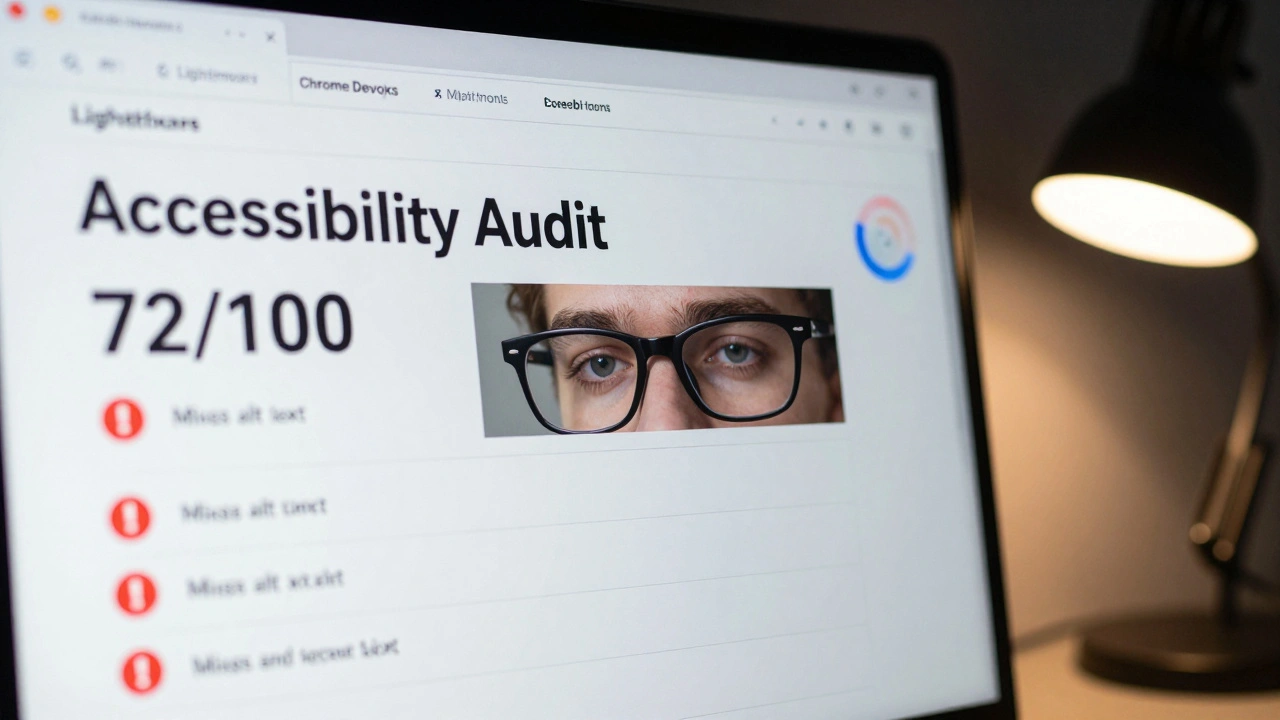
Lighthouse is an open-source tool from Google Chrome Labs that audits web pages for performance, SEO, and accessibility, using axe-core under the hood. It launched in 2016 and is built into Chrome DevTools. No install needed. Just open DevTools, click "Lighthouse," hit "Generate report," and in 30-60 seconds, you get a 0-100 accessibility score. If it’s below 90, you’ve got work to do.Lighthouse is perfect for quick checks. Want to know if your homepage is accessible before pushing to staging? Run Lighthouse. It’s great for non-experts because the score is easy to understand. But here’s the catch: Lighthouse only checks what it can automate. In Codoid’s 2024 test, Lighthouse missed 6 out of 9 accessibility issues that axe-core caught. Why? Because it filters out "hard to detect" problems. It won’t tell you if your custom slider is usable with a keyboard-it’ll only tell you if the ARIA attributes are missing. And it’s Chrome-only. If your site works fine in Firefox but fails in Lighthouse, you might be misled.
Rob Dodson, former Google Chrome advocate, put it bluntly: "Lighthouse is fantastic for awareness but axe-core provides the depth needed for serious compliance work." Use Lighthouse to catch obvious problems early. Don’t use it to declare your site accessible.
Playwright: The Automation Powerhouse
Playwright is a Microsoft-developed browser automation tool that lets you write end-to-end tests for web apps across Chromium, Firefox, and WebKit. Released in 2020, it’s not an accessibility tool by itself-but with the@axe-core/playwright package, it becomes a powerhouse. You write a test that navigates your app, clicks buttons, fills forms, and then runs axe-core on the current page state. That’s huge for vibe-coded frontends.
Why? Because timing matters. If your modal loads after a 2-second delay, and you scan the page before it appears, you’ll miss the issue. Playwright lets you wait: await page.locator('#modal').waitFor(). Then you scan. This catches issues that other tools miss. One Reddit user reported catching 47 accessibility regressions in their CI pipeline using Playwright + axe-core-issues manual testing missed for months.
But setup isn’t trivial. You need to know how to write end-to-end tests. You need Node.js, a test runner, and configuration. It adds 200-500ms per test run. And if your team doesn’t already use automated testing, the learning curve is steep. But if you’re already testing your app’s functionality? Adding accessibility checks is a natural next step. Microsoft’s docs say it best: "Automated tests can detect some common problems, but many issues require manual testing." Playwright doesn’t replace human judgment-it scales it.
How to Use Them Together
There’s no single tool that solves everything. The smartest teams use all three, at different stages:- During development: Install axe DevTools (the browser extension for axe-core) and scan as you build. Fix issues immediately.
- Before committing: Run Lighthouse in DevTools. If your score is under 85, pause and fix the obvious stuff.
- In CI/CD: Set up Playwright with
@axe-core/playwrightto run accessibility checks on every pull request. Block merges if violations are found.
This layered approach catches problems early, prevents regressions, and gives you confidence. According to TestParty.ai’s 2024 guide, teams using this workflow reduce accessibility bugs by 70% in production.
What These Tools Can’t Do
No tool can tell you if your alt text is helpful. Can’t tell you if your form instructions are clear. Can’t tell you if your color contrast feels okay to someone with low vision. These require real people testing. W3C says automated tools catch only 30-40% of accessibility issues. That’s not a failure-it’s a reminder. Tools are guards, not gatekeepers. They catch the low-hanging fruit so you can focus on the hard stuff: user interviews, screen reader testing, keyboard-only navigation walks.And don’t trust scores. Adrian Roselli calls Lighthouse’s accessibility score "dangerously misleading." A 95 doesn’t mean your site is accessible. It means you passed the automated checklist. Real accessibility is about experience-not numbers.
Where the Industry Is Headed
The market for accessibility tools is growing fast-projected to hit $3.57 billion by 2028. More than 78% of Fortune 500 companies use axe-core. 92% of developers run Lighthouse at least occasionally. And Playwright’s accessibility integration is gaining traction fast. Gartner predicts that by 2026, 85% of enterprise CI/CD pipelines will include automated accessibility testing.Expect tighter integration. Google’s recent acquisition of Accessibility Scanner hints that Lighthouse and axe-core might merge deeper. Playwright’s December 2023 release added experimental screen reader simulation-something that could change how we test operability. But the core truth won’t change: tools help. They don’t replace.
Getting Started Today
If you’re new to this:- Install the axe DevTools browser extension. Use it on every page you build.
- Open Chrome DevTools, click Lighthouse, and run an audit on your homepage. Fix anything marked "Critical" or "Serious."
- If you’re already using Playwright for testing, run:
npm install @axe-core/[email protected]and addawait page.accessibility.snapshot()after your interactions.
It doesn’t take weeks. It takes one afternoon. And the payoff? Fewer complaints, fewer lawsuits, and a product that actually works for everyone.
Can I rely only on Lighthouse for accessibility testing?
No. Lighthouse is great for quick checks, but it only catches about 30-40% of accessibility issues. It uses axe-core under the hood but filters out many problems it can’t automatically verify. Relying on it alone creates a false sense of security. Always pair it with axe-core for deeper scans and manual testing for context-based issues like alt text quality or logical reading order.
Is axe-core better than Lighthouse for accessibility?
For depth and accuracy, yes. axe-core detects more violations and gives detailed, actionable feedback tied directly to WCAG guidelines. Lighthouse gives you a simple score and highlights only the most obvious issues. If you’re serious about compliance, axe-core is the tool you’ll use daily. Lighthouse is your first alert system.
Why use Playwright instead of just axe-core?
Playwright lets you run accessibility checks at the right moment in your app’s flow. In single-page apps, content loads dynamically. If you scan too early, you miss issues. Playwright lets you wait for elements to appear, simulate user actions, then run axe-core exactly when the interface is ready. This catches bugs that static scanners miss-like modals that aren’t keyboard-focusable after animation.
Do these tools work with React, Vue, and Svelte?
Yes, but with caveats. All three tools work with modern frameworks, but false positives are common-especially with dynamic class names (like Tailwind) or hydration issues in SvelteKit. axe-core can flag valid ARIA attributes as errors. Playwright requires careful timing with waitFor(). The solution? Configure axe-core to ignore known false positives, and always validate findings manually.
How long does it take to set up automated accessibility testing?
You can install axe DevTools in under 5 minutes. Setting up Lighthouse takes no time-it’s built into Chrome. For Playwright + axe-core, expect 15-30 minutes to write your first test, assuming you’re already using Playwright. If you’re new to test automation, budget 8-12 hours to learn the basics. The hardest part isn’t the code-it’s learning how to interpret axe-core’s rules and decide what to ignore.
Are these tools free?
Yes. axe-core, Lighthouse, and Playwright are all open-source and free to use. Deque offers paid tools (like axe DevTools Pro) with extra features like team reporting and custom rule sets, but the core scanning engines are free. You don’t need to pay to get started.
Reshma Jose
December 9, 2025 AT 21:56I've been using axe DevTools daily since last year and it's a game changer. Seriously, I catch like 80% of my accessibility bugs before they even hit staging. The best part? It doesn't yell at you - just shows you what's broken and links to the WCAG rule. No fluff, just facts. My team started ignoring it at first, now they ask me to run it before PRs. It's like having a quiet but relentless QA buddy who never sleeps.
rahul shrimali
December 11, 2025 AT 17:04Lighthouse score is a joke
Eka Prabha
December 12, 2025 AT 21:29Let me guess - this is the same corporate propaganda pushing ‘accessible design’ so big tech can avoid real lawsuits while outsourcing labor to India. Axe-core? Sure. But did you know Deque Systems has ties to defense contractors? And Lighthouse? Google’s way of locking developers into Chrome. Playwright? Microsoft’s Trojan horse for enterprise control. You think you’re helping users but you’re just building compliance armor for corporations. The real issue isn’t alt text - it’s who gets to define ‘accessibility’ in the first place. And no, I won’t be installing any of these tools until there’s public audit of their funding sources.
Bharat Patel
December 13, 2025 AT 06:36You know what’s funny? We spend so much time trying to make interfaces work for screen readers and keyboard users, but we never ask the people who actually use them what they need. Tools are great, sure - but they’re like giving someone a map when they’re lost in a forest. The real question isn’t ‘did axe-core pass?’ - it’s ‘did the person with low vision actually get where they needed to go?’ I’ve seen sites with 100% Lighthouse scores that were unusable by real humans. Maybe the next frontier isn’t better automation… but better listening.
Bhagyashri Zokarkar
December 13, 2025 AT 21:58ok so i just installed axe and it flagged like 47 things on my portfolio and i was like wow i thought i was doing good but then i realized half of them were like missing alt text on my cat photos which is fine because its just a meme and also the contrast on my neon green button is bad but its supposed to be eye catching?? and now i feel guilty and also my head hurts from reading all these wcag rules and why does everything have to be so serious all the time i just wanted to make a pretty website and now i feel like a bad person
Rakesh Dorwal
December 14, 2025 AT 09:48These tools are fine but why is everyone so obsessed with Western accessibility standards? In India, most people use phones with low-end screens and slow internet - they don’t even have screen readers. We should focus on making sites load fast and work on 2G instead of obsessing over ARIA labels. This whole accessibility push feels like a Western luxury. We have bigger problems - like connectivity, cost, and literacy. Stop forcing your standards on developing nations. Build for real users, not compliance checklists.
pk Pk
December 15, 2025 AT 03:58Hey everyone - if you're new to this, don't get overwhelmed. Start with one thing. Install the axe extension. Run it on your homepage. Fix ONE thing. Maybe it’s alt text on an image. Maybe it’s a button without a label. Do that. Then tomorrow, fix another. This isn’t about perfection. It’s about showing up. Every small fix makes someone’s day easier. And trust me - the person who finally gets to use your site because you made that one change? They’ll never say thank you. But they’ll use it. And that’s enough.
NIKHIL TRIPATHI
December 15, 2025 AT 16:56Playwright + axe-core in CI is the real MVP. We had a bug where a modal would open after a 1.5s delay and axe would scan before it rendered - false negative. We added a waitForSelector('#modal') before the accessibility snapshot and boom - caught 12 regressions in one sprint. The setup was annoying at first - had to learn Playwright syntax, figure out timeouts, handle dynamic Tailwind classes - but now it’s baked into our pipeline. We even have a Slack bot that pings the team if a PR fails accessibility. No more ‘oh we’ll fix it later.’ It’s automated. It’s silent. It just works. If you’re not doing this yet, you’re leaving bugs in production on purpose.
Shivani Vaidya
December 15, 2025 AT 22:06While the technical utility of these tools is indisputable, one must not overlook the epistemological framework underpinning automated accessibility assessment. The assumption that WCAG-compliant markup equates to experiential accessibility constitutes a fundamental ontological misalignment. Human cognition, sensory perception, and contextual usage patterns cannot be reduced to algorithmic heuristics. The deployment of axe-core, Lighthouse, and Playwright, while operationally efficacious, risks reifying accessibility as a quantifiable metric rather than a phenomenological imperative. One must therefore exercise epistemic humility: tools illuminate, but they do not illuminate the entirety of the human condition. The true measure of accessibility remains the lived experience of the user - an experience that resists codification.