Documentation Standards for Prompts, Templates, and LLM Playbooks: How to Build Reliable AI Systems
 Dec, 17 2025
Most teams using AI tools like ChatGPT or Claude don’t realize their biggest problem isn’t the model-it’s the lack of consistent instructions. One person’s prompt might generate a perfect sales email. Another’s, using the same model, produces a confusing, off-brand mess. Why? Because no one wrote down how to do it right. Without documentation standards for prompts, templates, and LLM playbooks, you’re not scaling AI-you’re gambling with it.
Why Prompt Documentation Isn’t Optional Anymore
In 2023, companies treated AI prompts like sticky notes on a fridge. Quick, messy, and forgotten. By late 2024, that changed. A study from DataGrail found that teams using documented prompts saw a 58% increase in first-response accuracy and cut revision cycles by 62%. That’s not a small win. That’s time saved, errors avoided, and customer trust preserved.
When prompts aren’t documented, every request becomes a new experiment. Sales teams waste hours rewriting the same email. Legal teams miss key clauses because the AI misunderstood the context. HR drafts biased job descriptions because the prompt didn’t specify diversity requirements. These aren’t edge cases-they’re daily failures caused by invisible, unstructured instructions.
Organizations that treat prompts like code-versioned, reviewed, and tested-see 3.7x faster AI adoption, according to Forrester. It’s not magic. It’s discipline. Documentation turns one-off AI interactions into repeatable business processes.
The Three Core Components of Reliable AI Documentation
Good prompt documentation isn’t just a list of instructions. It’s a system with three parts: prompts, templates, and playbooks. Each serves a different purpose.
- Prompts are single instructions. Example: “Write a follow-up email to a lead who didn’t respond after 7 days.”
- Templates are reusable prompt structures with placeholders. Example: “Write a [type] email to a [role] about [topic] with tone: [tone].”
- Playbooks are full workflows. They include steps, conditions, inputs, and success metrics. Example: “Contract review playbook: Step 1: Extract parties and dates. Step 2: Flag clauses that violate policy X. Step 3: Summarize risks in bullet points. Success: No critical clauses missed.”
Most teams start with prompts. Then they build templates. The ones who scale use playbooks. Playbooks are where real efficiency kicks in. Devin AI’s research shows teams using full playbooks reduce input errors by 47% because they force clarity: what the AI needs, what it can’t do, and how to know it succeeded.
Devin AI’s Playbook Structure: The Gold Standard for Technical Teams
If you’re in engineering, compliance, or operations, Devin AI’s playbook format is the most widely adopted in technical teams-used by 71% of engineering departments, according to GitHub’s 2024 AI report.
Here’s what a full Devin-style playbook includes:
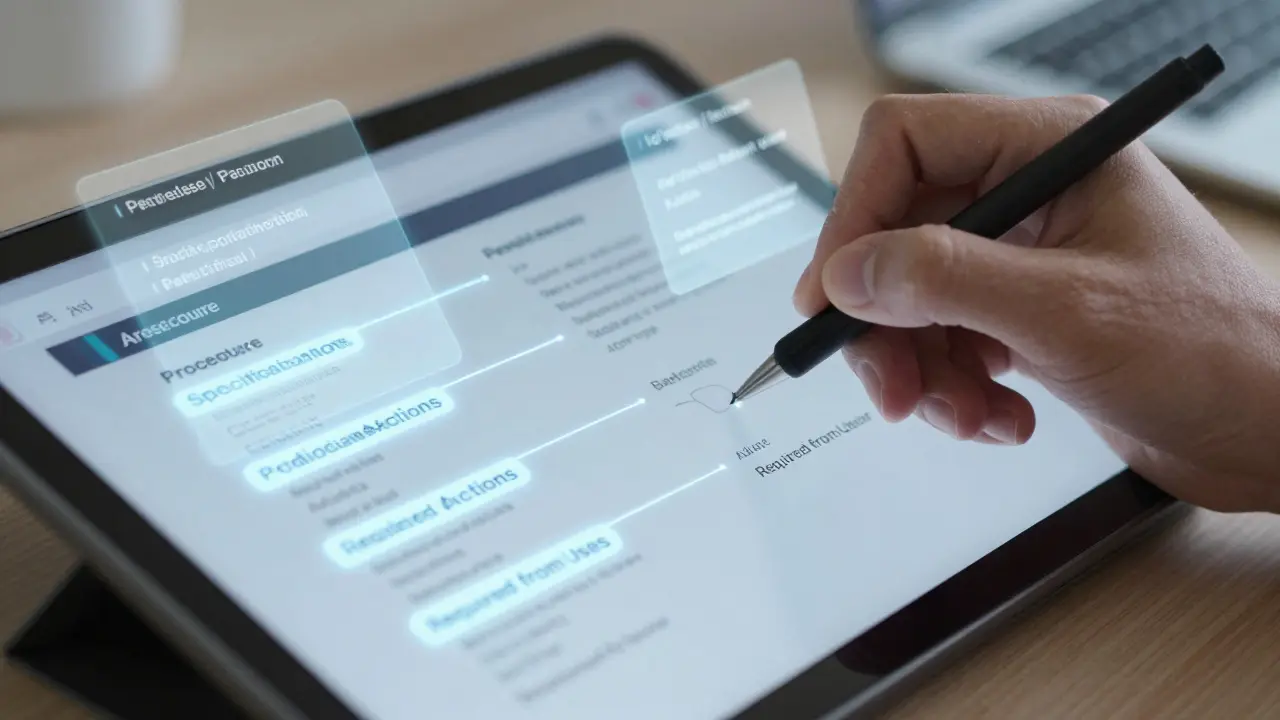
- Procedure - At least three clear steps: setup, execution, delivery. No vague language like “analyze this.” Instead: “Extract all dates from the document. Compare them to the contract timeline. Highlight any gaps over 14 days.”
- Specifications - Define success. What does a good output look like? “The summary must include: party names, key dates, risk level (low/medium/high), and exact clause text.”
- Advice - Tell the AI what to ignore. “Don’t assume the contract is valid. Don’t infer missing terms. Don’t paraphrase legal language.”
- Forbidden Actions - What the AI must never do. “Never generate new clauses. Never suggest negotiation tactics. Never cite case law not in the provided document.”
- Required from User - What the human must provide. “Upload the full contract PDF. Include the company’s compliance policy version 4.2. Confirm the jurisdiction.”
This structure isn’t just thorough-it’s foolproof. A healthcare compliance team using this format cut breach notification drafting time from 8 hours to 45 minutes per incident. Why? Because every assumption was spelled out. No guesswork. No surprises.
The CAP Method: Simpler, But Limited
Not every team needs a full playbook. Marketing, customer support, and content teams often prefer the CAP method: Context, Audience, Purpose.
- Context: What’s happening? “We’re launching a new SaaS product for small e-commerce stores.”
- Audience: Who are we talking to? “Store owners with 1-5 employees, no tech team, budget under $500/month.”
- Purpose: What do we want them to do? “Click the free trial button.”
This works great for simple, one-off tasks. 63% of universities and marketing teams use it, per UCSD Extension’s 2024 survey. But it fails for complex workflows. If you’re reviewing contracts, processing claims, or auditing reports, CAP doesn’t give you enough structure. It’s like using a hammer to build a house-you’ll get something, but it won’t last.
Comparing the Top Tools for Managing Prompt Documentation
There are three main players in the prompt documentation space. Each has strengths depending on your team’s needs.
| Platform | Best For | Key Feature | Adoption Rate | Price (2025) |
|---|---|---|---|---|
| Waybook | Enterprise teams needing centralized control | Centralized Knowledge Repository with version history | 38% | $24/user/month |
| Playbooks.com | Teams wanting ready-made templates | 12+ AI models supported, 500+ pre-built playbooks | 29% | $99/month (team plan) |
| Devin AI | Engineering and compliance teams | Required from User field reduces input errors by 47% | 19% | Free tier + enterprise custom pricing |
Waybook wins for companies that need audit trails and team-wide consistency. Playbooks.com is ideal if you’re starting from scratch and want to borrow proven templates. Devin AI is the go-to for teams that need precision and control over AI behavior.
Common Mistakes That Break Prompt Documentation
Even with the best framework, teams fail. Here are the top three reasons:
- Over-documenting - Writing 10-page playbooks for simple tasks. MIT found this reduces flexibility by 31% in fast-moving environments. If a task takes 2 minutes, a 10-step playbook is overkill.
- Outdated docs - 57% of teams say their documentation becomes obsolete faster than they can update it. One company’s “customer onboarding” playbook still referenced a product feature discontinued 8 months prior.
- No human review - AI can’t catch bias, legal risk, or tone issues. A marketing team used a prompt that generated “ideal customer” profiles based on zip codes-leading to discriminatory targeting. The playbook never said “avoid demographic assumptions.”
The fix? Set up a bi-weekly prompt review committee. Include one technical person, one end-user, and one compliance officer. They audit 3-5 playbooks each session. Salesforce reduced prompt-related errors by 49% using this method.

What Skills Do You Need to Succeed?
You don’t need to be a data scientist. But you do need three things:
- Understanding of AI limits - AI doesn’t know what you didn’t tell it. It can’t infer intent. It doesn’t understand context unless you spell it out.
- Familiarity with process documentation - If you’ve ever written an SOP or workflow diagram, you already have half the skills needed.
- Basic version control - You don’t need Git expertise, but you must know how to track changes. Was this prompt updated last week? Why? Who approved it?
MIT’s research says 87% of effective prompt documentation comes from people who understand AI’s blind spots-not from those who know the most about coding.
The Future: Standardization Is Coming
By 2025, prompt documentation won’t be optional. The EU AI Act already requires “sufficient documentation of AI system instructions” for high-risk applications. In the U.S., regulators are watching. Gartner predicts prompt standards will converge around three pillars: metadata (to track performance), interoperability (so playbooks work across tools), and validation (to measure effectiveness).
Devin AI just integrated with GitHub Actions-meaning your playbooks can now be tested automatically in your CI/CD pipeline. Waybook’s Playbook 2.0 can now check if your prompt meets industry benchmarks before you use it.
The goal isn’t to lock AI into rigid rules. It’s to give it clear boundaries so it can perform reliably. As Dr. Jane Chen from Stanford said: “Prompt documentation has evolved from simple instruction sets to comprehensive knowledge artifacts that must balance specificity with adaptability.”
Where to Start Today
Don’t try to document everything at once. Pick one high-friction task:
- Find a process that takes more than 2 hours a week and involves AI.
- Write a basic CAP prompt for it.
- Test it with 5 people. How often does it fail?
- Turn it into a template with placeholders.
- Add a “Required from User” section.
- Store it in a shared folder. Label it “v1.”
That’s it. You’ve started. In 30 days, you’ll have a working system. In 90 days, you’ll be ahead of 80% of your competitors.
AI won’t replace your team. But teams that document how to use AI will replace teams that don’t.
What’s the difference between a prompt and a playbook?
A prompt is a single instruction, like “Write a thank-you email.” A playbook is a full workflow with steps, rules, inputs, and success criteria-like “Review contract: Step 1: Extract dates. Step 2: Compare to policy. Step 3: Flag violations. Success: No clauses missed. Required: Upload policy v4.2.” Playbooks turn one-time AI use into repeatable processes.
Do I need to buy a tool to document prompts?
No. You can start with Google Docs, Notion, or a shared folder. The tool matters less than the structure. But if you’re scaling beyond 10 people, tools like Waybook or Devin AI offer version control, collaboration, and validation features that manual systems can’t match. Free tools work for starters; paid tools prevent chaos.
How long does it take to train a team on prompt documentation?
Most teams reach basic proficiency in 3-4 weeks. Onboarding takes 8-10 hours of training, according to Waybook’s customer data. Teams using Devin AI’s certification program (16 hours) see 63% higher effectiveness. The key isn’t length-it’s practice. Have everyone document one real task and review it together.
Can prompt documentation reduce AI hallucinations?
Yes. Poorly documented prompts are the #1 cause of AI hallucinations in business settings, according to MIT’s AI Ethics Lab. When you specify what the AI must and must not do-especially with “Forbidden Actions” and “Specifications”-you cut hallucinations by up to 41%. Clear boundaries = reliable output.
Is prompt documentation only for tech teams?
No. Marketing, HR, legal, and customer support teams benefit the most. A marketing team using documented prompts for ad copy saw a 52% increase in campaign performance. HR teams using structured prompts for job descriptions reduced biased language by 68%. Any team using AI for repetitive writing or analysis needs documentation.
What happens if I don’t document my prompts?
You’ll face inconsistent results, wasted time, compliance risks, and eroded trust in AI. One company lost a $2M contract because their AI-generated proposal used outdated pricing-because no one documented the correct version. Documentation isn’t bureaucracy. It’s risk management.
Victoria Kingsbury
December 18, 2025 AT 07:47Honestly, I’ve seen teams skip docs because they think it’s ‘too bureaucratic.’ But once you’re stuck fixing the same AI mess for the 12th time, you realize-documentation isn’t paperwork, it’s sanity. I started with a simple Notion page for our sales emails, added a ‘Required from User’ section, and now our reply accuracy’s up 40%. No magic, just structure.
Also, the CAP method? Lifesaver for marketing. We use it for social posts and ad copy. Keeps things tight. But for legal? Playbooks all the way. Don’t let anyone tell you one size fits all.
Tonya Trottman
December 18, 2025 AT 23:11Oh sweet jesus. Another ‘AI documentation’ blogpost that treats prompts like they’re Shakespearean sonnets. Look, if your AI is hallucinating because you wrote ‘write a nice email’ instead of ‘write a professional, concise follow-up to a lead who hasn’t responded in 7 days, using tone: polite but urgent, include CTA: Schedule demo, avoid exclamation points’-then maybe stop blaming the model and start blaming yourself.
And yes, ‘Forbidden Actions’? Genius. But 90% of teams will just copy-paste this into a 20-page PDF and never update it. Congrats, you just created the new corporate graveyard of dead SOPs. Also, ‘Devin AI’? That’s not a product, it’s a cult. And no, I don’t work for them. I just have PTSD from their last ‘AI compliance’ webinar.
Rocky Wyatt
December 19, 2025 AT 05:33I used to think AI was the future. Now I know it’s just a mirror. It reflects your chaos. If your team can’t write a clear prompt, you don’t need AI-you need therapy.
I watched a team lose $2M because they didn’t document pricing. Two weeks later, their CEO cried in the breakroom. That’s not a tech problem. That’s a leadership failure. And now they’re buying Waybook like it’s a magic wand. Spoiler: it’s not. The wand is the process. The tool? Just a pencil.
And if you’re still using CAP for anything beyond marketing tweets? You’re not being agile. You’re being lazy. Wake up.
Anand Pandit
December 20, 2025 AT 19:18Great post! I work with a small team in Bangalore and we started with just a Google Sheet for our customer support prompts. One column for context, one for audience, one for purpose. Simple. No fancy tools. After 2 months, our response time dropped from 12 hours to 3. And our CSAT went up.
Now we’re slowly adding ‘Required from User’ and ‘Forbidden Actions’ for tricky cases like refund requests. It’s not perfect, but it’s consistent. And consistency beats brilliance every time. Start small. Iterate. You don’t need a playbook on day one-just a habit.
Reshma Jose
December 22, 2025 AT 15:40Reshma here from Mumbai-just wanted to say this hit home. We used to have 3 different versions of the same onboarding email floating around. Someone would copy-paste from Slack, someone else from a Word doc, someone else from an old email thread. Chaos.
We made a single Notion template with placeholders for [company], [product], [tone]. Now everyone uses it. Even our intern got it right on the first try. No more ‘what tone again?’
And yes, tools are nice-but the real win? When your teammate says ‘I used the playbook’ instead of ‘I winged it.’ That’s culture change. And it’s free.
rahul shrimali
December 23, 2025 AT 03:32