How to Reduce Prompt Costs in Generative AI Without Losing Context
 Jul, 10 2025
Every time you type a question into ChatGPT or ask an AI to write a report, you’re not just using intelligence-you’re spending money. Generative AI doesn’t run on free electricity. It runs on tokens, and each one has a price. For businesses sending thousands of prompts daily, these costs add up fast. A single customer service chatbot can burn through $10,000 a month in tokens if it’s not optimized. But here’s the good news: you don’t need to cut corners on quality to slash those numbers. You just need to design your prompts smarter.
Why Tokens Cost Money
Generative AI models like GPT-4, Claude 2.1, and Gemini don’t charge by the minute or the user. They charge by the token. A token is a chunk of text-could be a word, part of a word, or even punctuation. On average, four characters equal one token. So the sentence “Hello, how are you?” uses about 6 tokens. Sounds tiny? Multiply that by 10,000 prompts a day, and you’re looking at 60,000 tokens daily. At GPT-4’s rate of $0.03 per 1,000 output tokens, that’s $1,800 just for responses. Add input tokens, retries, and bloated prompts, and you’re easily over $2,500 a month.Providers price tokens differently. OpenAI charges more for output than input-$0.002 per 1,000 input tokens, $0.004 for output on GPT-3.5 Turbo. Google charges by character, not token, and treats input and output the same. That means for Google, trimming your prompt doesn’t save as much as cutting the response. But for OpenAI? Every extra word in your prompt is money down the drain. And if you’re using GPT-4? You’re paying 15 to 30 times more per token than GPT-3.5. That’s not a small difference-it’s the difference between a manageable expense and a budget breaker.
The Hidden Cost of Bad Prompts
Most teams don’t realize how much waste is built into their prompts. Take this common example:“You are a helpful customer support assistant. You answer questions about our products. We sell shoes, clothing, and accessories. Our store is called StyleHub. Our return policy allows returns within 30 days. We ship worldwide. Please help the customer with their question.”
That’s 132 tokens. Now compare it to this:
“You’re a customer support agent for StyleHub. Answer questions about returns (30-day window) and shipping (global). Be concise.”
That’s 38 tokens. Same result. 71% fewer tokens. That’s $0.25 saved per prompt. If you handle 10,000 prompts a month? That’s $2,500 saved. And you didn’t change the quality. You just removed the fluff.
Worse than bloated prompts are redundant instructions. Many teams copy-paste system messages from old examples. They include “Please be polite,” “Avoid assumptions,” “Use simple language”-even when the model already knows how to behave. These aren’t helpful. They’re noise. Google’s internal tests showed removing redundant instructions cut token use by 35% with zero drop in accuracy.
How to Cut Tokens Without Losing Context
You don’t need to sacrifice clarity to save money. Here’s how to do it right:- Use role-based instructions instead of long context. Instead of describing your company in 5 sentences, say: “You are a customer support agent for StyleHub.” That’s it. The model fills in the rest.
- Replace few-shot examples with clear rules. Instead of giving 3 sample customer queries and responses, write: “Answer like a friendly support agent: short, helpful, no jargon.” Few-shot examples can add 200+ tokens. Clear instructions? Often under 50.
- Trim context like you’re editing a draft. If the AI doesn’t need the full transcript of a previous chat, don’t send it. Use summaries. If you’re analyzing a 10-page report, extract the key points first-don’t paste the whole thing.
- Set token budgets. Design prompts with limits: “Answer in under 100 tokens.” This forces efficiency. Most models will adapt if you ask them to.
- Use automatic truncation. If you’re pulling data from a database or document, cut off anything past the first 500 words unless it’s critical. Most of the time, the answer is in the first 20%.
One company reduced their customer service AI costs from $12,000 to $3,500 a month using these methods. They didn’t change their model. They didn’t reduce support hours. They just rewrote their prompts.

Model Selection Matters More Than You Think
Not all models are created equal when it comes to cost. GPT-4 is powerful. But it’s overkill for 80% of tasks. Simple questions like “What’s my order status?” or “Do you ship to Canada?” don’t need GPT-4. They need GPT-3.5 Turbo-or even a cheaper model like Claude Haiku.Companies that use model routing-sending easy tasks to cheaper models and complex ones to expensive ones-save 40-65% on AI costs, according to WrangleAI. A Fortune 500 company did this: they used GPT-3.5 for basic FAQs, GPT-4 only for contract analysis or multi-step reasoning. Accuracy stayed above 92%. Cost dropped by 58%.
Open-source models like Llama 3 are tempting for cost savings. But self-hosting them costs $37,000-$100,000 upfront. You need GPUs, maintenance, security. Only make this move if you’re processing over 5 million tokens a month. For most, cloud APIs with smart prompting are cheaper and easier.
When Cutting Tokens Backfires
There’s a line. Go too far, and the AI starts guessing. Stanford researchers found that prompts under 150 tokens for complex tasks-like legal analysis or medical summaries-dropped accuracy by 22% or more. The AI needs enough context to reason. You can’t just say “Explain this.” You need to say “Explain this legal clause in plain terms, focusing on liability.”Here’s the rule: Be specific, not long. Don’t dump paragraphs. Do give the AI the right anchors: key names, dates, constraints, goals. If you’re asking for a summary of a 20-page report, say: “Summarize the key findings on user retention, including metrics and recommendations. Ignore methodology details.” That’s 20 tokens. Clear. Enough context. No fluff.
Tools That Automate the Work
You don’t have to do this manually forever. New tools are emerging to help:- OpenAI’s new API analytics now suggest prompt optimizations and estimate savings.
- Google’s Gemini 1.5 has built-in adaptive context compression-it automatically shortens long inputs without losing meaning.
- WrangleAI, PromptPerfect, and others analyze your prompts and rewrite them for efficiency, showing before-and-after token counts.
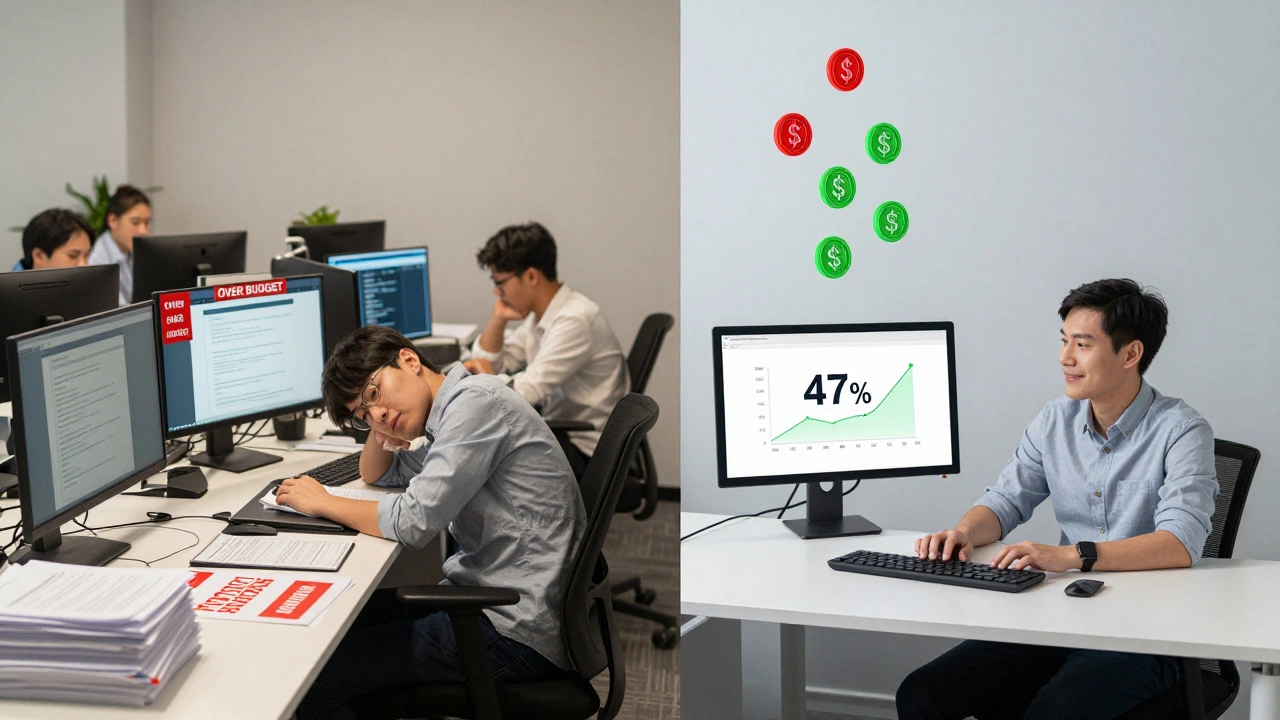
One user on G2 reported a 47% drop in token use after using WrangleAI’s tool across 12,000 prompts. That’s not magic. It’s pattern recognition. These tools spot the same waste you’re making-redundant phrases, unnecessary examples, vague instructions-and fix them.
What’s Next? The Future of Prompt Optimization
The trend is clear: prompt optimization is no longer optional. In 2023, only 29% of enterprises prioritized it. By late 2024, that number jumped to 67%. Gartner predicts 70% of businesses will use automated optimization tools by 2026.That means the role of the “prompt engineer” is changing. You won’t need someone manually tweaking every prompt. You’ll need someone who designs the system: the routing logic, the quality guardrails, the feedback loops. The work is shifting from typing prompts to building frameworks.
And regulation is catching up. The EU AI Act may soon require companies to report token usage. That’s not just compliance-it’s accountability. If you’re spending $50,000 a month on AI and can’t explain why, you’ll be the one answering questions.
Where to Start Today
You don’t need a team or a budget to begin. Here’s your 5-step starter plan:- Check your current monthly token usage. Look at your AI provider’s dashboard.
- Find your top 3 most-used prompts. These are your low-hanging fruit.
- Rewrite each one using the rules above: role-based, no fluff, no examples, clear limits.
- Test them side-by-side. Did the output quality drop? If not, deploy.
- Track cost before and after. You’ll see the savings in 2 weeks.
One marketing team cut their content generation costs by 47% in a week. They didn’t hire a new team. They didn’t switch vendors. They just deleted 60% of the words in their prompts.
Generative AI isn’t getting cheaper. But your prompts can be. And when you optimize them, you’re not just saving money-you’re building a smarter, more sustainable AI system.
How much can I save by optimizing my AI prompts?
Most businesses see a 30-60% reduction in prompt costs after optimizing their prompts. Companies handling over 1 million tokens per month often save $1,000-$10,000 monthly. One enterprise cut costs from $12,000 to $3,500 per month by rewriting prompts and using model routing.
Is GPT-4 always better than GPT-3.5?
No. GPT-4 is more accurate for complex tasks like legal analysis, data interpretation, or creative brainstorming. But for simple questions-like answering FAQs, summarizing short texts, or generating basic emails-GPT-3.5 Turbo performs nearly as well at 15-30 times lower cost. Use GPT-4 only when you need deep reasoning.
Do I need to rewrite every prompt manually?
Not forever. Start by rewriting your top 5 most-used prompts. After that, use tools like OpenAI’s built-in analytics, WrangleAI, or PromptPerfect to auto-optimize new prompts. These tools scan your text and suggest cuts without losing meaning.
Can I use open-source models like Llama 3 to save money?
Yes-but only if you’re processing over 5 million tokens per month. Self-hosting Llama 3 requires $37,000-$100,000 in upfront infrastructure costs and ongoing maintenance. For most companies, using a cloud API with optimized prompts is cheaper and faster to deploy.
What happens if I cut too many tokens from my prompt?
If you remove too much context-especially for complex tasks like analysis, synthesis, or decision-making-the AI will start guessing. Accuracy can drop by 15-22%. The fix? Be specific, not brief. Instead of “Explain this,” say “Explain this clause in plain terms, focusing on liability and penalties.” Give the AI just enough to reason, not everything you know.
Tia Muzdalifah
December 9, 2025 AT 11:42lol i just realized i’ve been writing prompts like i’m drafting a novel 🤦♀️
‘you are a helpful assistant who understands nuance and context and always responds with empathy and a sprinkle of magic’… bro that’s 87 tokens for ‘what’s my order status?’
just deleted 3 paragraphs from my customer bot. saved $400 this month. peace.
Zoe Hill
December 10, 2025 AT 22:51omg same!! i was using like 5 examples for every single reply and didn’t even realize it 😅
just rewrote my email generator prompt and now it’s half the length and actually works better??
ai is weird but also kinda genius??
also ty for the tip on gpt-3.5 turbo - switched and my boss didn’t even notice 😎
Albert Navat
December 11, 2025 AT 22:10you guys are missing the real play here - model routing is the only scalable solution. if you’re not implementing a dynamic inference layer with token-budgeted routing via Prometheus + LangChain, you’re literally burning cash like it’s 2021.
the real win isn’t prompt trimming - it’s intelligent orchestration. gpt-4 for complex reasoning, claude haiku for q&a, llama 3 for internal docs. you need a pipeline, not a hack.
also, stop using ‘concise’ as a directive. models don’t understand that. use ‘max_tokens: 75’ in the API call. that’s real engineering.
King Medoo
December 12, 2025 AT 06:09Wow. Just… wow. I’ve been doing this wrong for 18 months. 😔
Every time I see someone say ‘just cut the fluff’ I want to cry because I know they’ve never had to explain to a non-tech exec why their $12k/month AI bill is basically just them typing ‘hi’ 10,000 times.
But seriously - this is the most important thing I’ve read all year. I’m redesigning our entire AI stack this weekend. Thank you. 🙏✨
Aafreen Khan
December 13, 2025 AT 12:33lol u all think this is new? i been doing this since claude 1.0
also gpt-4? nah. my aunt in delhi uses gemini for free and gets better replies than my corp bot
and why u pay for api when u can run llama 3 on 2 rtx 3060? i did it for $1200 and my company saves 90%
u guys are so privileged 😂
michael T
December 15, 2025 AT 07:39THIS. IS. EVERYTHING.
I used to think AI was magic. Now I know it’s just a really expensive parrot that charges you by the syllable.
My team used to send 500-word prompts just to get a product description. Now? ‘Write a 40-word product description for organic cotton t-shirt. Tone: chill, eco, slightly sarcastic.’
Cost dropped 70%. Output improved. My soul is less tired.
AI isn’t the future. It’s the landlord. And we’ve been overpaying rent for years.
Christina Kooiman
December 15, 2025 AT 20:32I just want to say - this article is beautifully written. The structure is impeccable. The grammar is flawless. The punctuation? Perfect. Every comma is in its rightful place. Every period? Deliberate. No run-ons. No fragments. No lazy contractions. And yet - I still have to say - you forgot to mention that token counting varies by encoding (BPE vs. byte-pair). And that’s not a small detail - it’s foundational. Also, ‘tokens’ are not always 4 characters. Sometimes it’s 3. Sometimes it’s 5. And you didn’t clarify whether you’re counting input, output, or both in your examples. This is sloppy. And I’m disappointed.
Stephanie Serblowski
December 17, 2025 AT 10:13okay but can we talk about how ‘be concise’ is the most useless instruction ever? it’s like telling a chef ‘make it tasty’.
the real trick? ‘Answer in 1-2 sentences. Use casual tone. No jargon. If unsure, say ‘I don’t know’ - don’t guess.’
that’s what works. not ‘be concise.’
also - i love how this post didn’t mention prompt caching. that’s where the real savings are. reuse the same prompt structure across 10k users. 30% less tokens. 100% less chaos.
also - i’m using emojis now because why not 🤷♀️✨💸
Renea Maxima
December 17, 2025 AT 17:01It’s funny how we treat AI like a servant when it’s really just a mirror. We pour our assumptions, our verbosity, our need for control into prompts - and then we’re shocked when it reflects back our own noise.
Maybe the real cost isn’t tokens… it’s our inability to trust simplicity.
What if the answer isn’t in trimming - but in letting go?
… I’m just saying.
Also, I’m pretty sure this post was written by an AI. Which makes this entire comment… recursive. 😶🌫️
Jeremy Chick
December 18, 2025 AT 23:05bro this is the dumbest thing i’ve read all week. you think people care about saving $2000 a month? nah.
they care about their boss not yelling at them because the bot said ‘i’m not sure’ instead of making up a fake return policy.
you can’t optimize for cost if your model starts hallucinating.
gpt-3.5 for FAQs? sure. but if you’re handling returns, complaints, or legal stuff - you go gpt-4 or you’re asking for a lawsuit.
stop being cheap and start being smart. your customers don’t care about your token budget.
they care if you fix their problem.
and if your bot can’t do that? no amount of prompt trimming will save you.