Customer Support Automation with LLMs: Routing, Answers, and Escalation
 Dec, 18 2025
Imagine a customer service line that never sleeps, never gets tired, and can switch languages mid-sentence-all while cutting your support costs by nearly half. That’s not science fiction. It’s what companies are doing today with large language models (LLMs) to handle customer inquiries at scale. The real magic isn’t just in answering questions. It’s in knowing when to answer, which model to use, and when to hand off to a human.
Why LLMs Are Changing Customer Support
For years, customer support relied on rule-based chatbots. These systems worked fine for simple questions like “What’s my order status?” But they broke down when customers asked something unexpected: “My package arrived damaged, and I’m furious-what can you do?” That’s where traditional bots failed. They couldn’t understand tone, emotion, or context. They’d either give a robotic reply or dump the customer into a long hold queue. LLMs changed all that. Models like GPT-4, Llama 3, and Claude 3 can read between the lines. They don’t just match keywords-they understand intent. A 2024 report from Forrester found that 60-70% of all customer contacts are repetitive. LLMs handle those automatically, freeing up human agents for the messy, emotional, or complex stuff. Companies like Shopify saw a 27% jump in first-contact resolution for non-English speakers after rolling out multilingual LLM support. LivePerson reported CSAT scores climbing from 78% to 86% after implementing AI routing. These aren’t outliers. They’re the new standard.How LLMs Route Inquiries Like a Pro
Routing is the backbone of smart customer support. It’s not enough to just have an AI that can answer. You need an AI that knows who should answer. There are three main routing strategies:- Static routing uses predefined rules-like if a message contains “billing,” send it to the finance team. Simple, but rigid.
- Dynamic routing lets the LLM analyze the full message and classify intent. Is this a complaint? A refund request? A technical bug? The model decides.
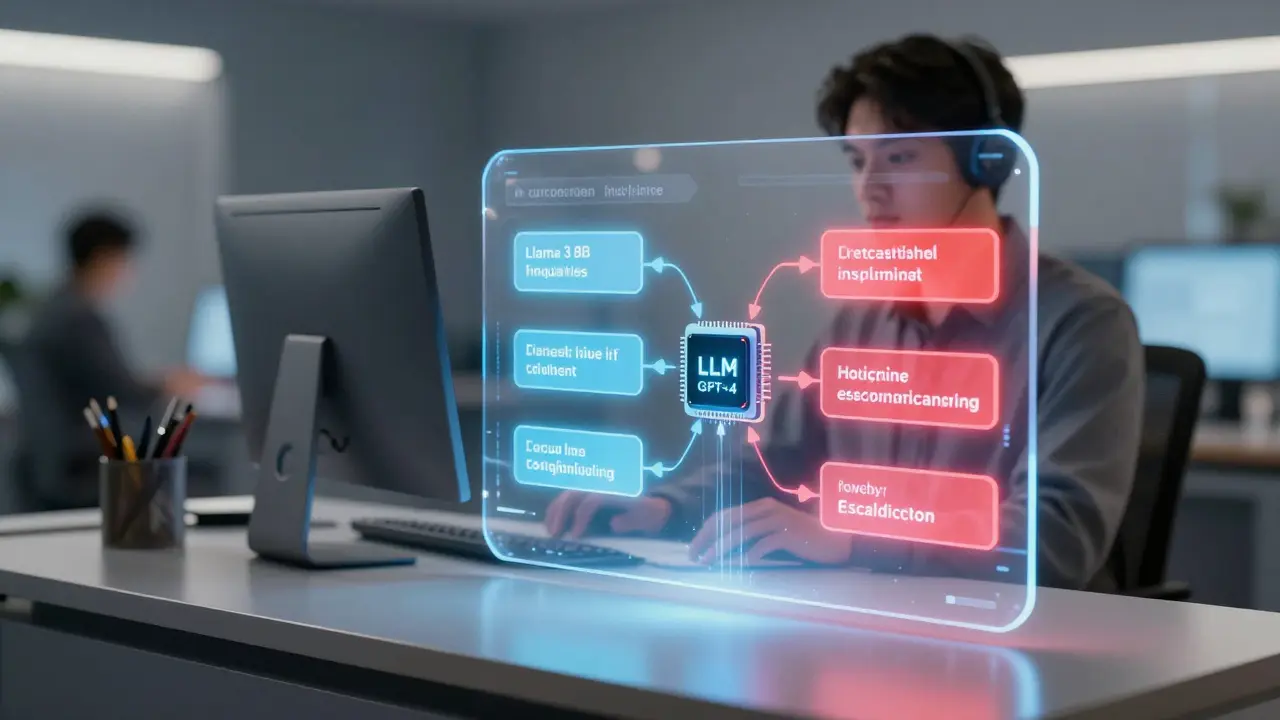
- Task-based routing is the most advanced. It sends different types of queries to different models. A simple billing question goes to a lightweight, cheap model like Llama 3 8B. A complex product issue goes to GPT-4. An emotionally charged message gets routed to a model fine-tuned for empathy.
How LLMs Generate Answers That Feel Human
The best LLMs don’t just spit out canned responses. They adapt. They learn from your brand voice. They mirror your tone. Take a company like Zennify, which works with financial clients. Their first attempt at LLM support used a general-purpose model for all billing questions. Result? 38% of responses were wrong. Customers got confused about payment dates, late fees, or refund timelines. After switching to a finance-specific fine-tuned model trained on 20,000 real billing tickets, accuracy jumped to 95%. Training matters. You need 5,000 to 50,000 real customer interactions to fine-tune an LLM properly. These aren’t hypothetical examples-they’re actual chat logs, emails, call transcripts. The more real data you feed it, the less likely it is to hallucinate or misinterpret. And it’s not just about accuracy. It’s about speed. Microsoft’s AI translation system cut resolution time for non-English queries from 24 hours to under two hours. That’s not just efficiency-it’s fairness. Customers aren’t waiting longer just because they don’t speak English.
When to Escalate-and When Not To
The biggest mistake companies make? Trying to automate everything. LLMs are great at handling routine stuff. But they struggle with high-emotion interactions. LivePerson’s data shows accuracy drops to 65-75% when customers are angry, upset, or crying. That’s not a failure-it’s a signal. That’s when you need a human. Smart systems use escalation triggers:- Keywords like “I’m done,” “I want to speak to someone,” or “This is unacceptable.”
- Repeated follow-ups after an AI response.
- Low sentiment scores detected by the model.
- Requests involving refunds over $500, legal issues, or compliance concerns.
What It Takes to Implement This
You don’t need a team of AI PhDs to get started. But you do need structure. Here’s what successful implementations look like:- Identify use cases-What are the top 5 questions customers ask? Which ones take the most agent time?
- Select your models-Use GPT-4 or Claude 3 for complex tasks. Use Llama 3 8B or Mistral 7B for simple ones.
- Fine-tune with real data-Use 5,000-50,000 past support tickets. Clean them. Anonymize them. Label them.
- Integrate with your tools-Connect to Zendesk, Salesforce, or your custom CRM via API. Don’t build in a vacuum.
- Monitor and tweak-Track metrics weekly: first-contact resolution, CSAT, escalation rate, response time.

Costs, ROI, and Real Numbers
Setup costs range from $15,000 to $50,000. That includes model licensing, API access, integration work, and training. But the payback? Fast. Intelliarts’ case study on a shipping company showed their LLM could analyze contracts with 75-80% accuracy-saving $220,000 a year in manual review time. Shopify’s multilingual support cut ticket volume by 63%. Companies report 28% lower operational costs on average. ROI typically hits in 6-9 months. That’s faster than most enterprise software projects. And the market is exploding. Grand View Research projects the AI customer service market will hit $29.67 billion by 2030. Right now, 37% of large enterprises use some form of LLM support. In tech? 51%. In retail? 42%.Where It Still Falls Short
Let’s be honest. LLMs aren’t perfect. - Response inconsistency: Forrester found 18% variance in answer quality across different routing setups. One customer gets a detailed answer. Another gets a vague one. That hurts trust. - Language gaps: Non-English responses vary in quality by 12-18%. Training data isn’t always balanced. - Over-automation: Qualtrics found 29% of customers get frustrated when AI handles something too complex. They feel like a number. - Integration headaches: Gartner says 42% of early adopters struggled to connect LLMs to old CRM systems. Legacy tech doesn’t always play nice. The fix? Hybrid models. Combine AI with human assist tools. When an agent picks up a ticket, the LLM suggests a response. It pulls up past interactions. It highlights key issues. That’s what MIT Sloan found: companies using this hybrid approach saw 41% higher agent productivity and 33% higher customer satisfaction.The Future Is Hybrid
The goal isn’t to replace humans. It’s to make them better. By 2026, Gartner predicts 80% of customer service teams will use some form of LLM routing. But the winners won’t be the ones with the fanciest AI. They’ll be the ones who know when to step back. The best systems don’t just answer questions. They listen. They adapt. They know when to hand off. They learn from every interaction. And they never stop improving. If you’re thinking about automating support, start small. Pick one high-volume, low-complexity use case. Train your model on real data. Measure everything. Then scale. Because the future of customer service isn’t AI or humans. It’s AI and humans-working together, smarter than ever.Can LLMs handle customer support without any human agents?
Not reliably. While LLMs can handle 45-65% of routine inquiries, they struggle with emotional, complex, or ambiguous cases. Best-in-class systems escalate 18-22% of tickets to humans. Trying to fully automate support leads to lower customer satisfaction and higher churn. The most effective setups use AI to reduce agent workload-not eliminate it.
How much does it cost to implement LLM customer support?
Initial setup costs range from $15,000 to $50,000, depending on complexity. This includes model licensing, API integration, fine-tuning with real data, and team training. Ongoing costs are mostly usage-based-like $0.07 per million tokens for Llama 3 or $30 for GPT-4. Most companies see a return on investment in 6-9 months through reduced staffing needs and faster resolution times.
Which LLM is best for customer support?
There’s no single best model-it depends on the task. Use lightweight models like Llama 3 8B or Mistral 7B for simple FAQs and routing-they’re fast and cheap. Use GPT-4, Claude 3, or Gemini 1.5 for complex questions, multilingual support, or emotional interactions. Many companies use multiple models together, routing each query to the most appropriate one based on type and urgency.
Do I need to train my own LLM from scratch?
No. Most businesses fine-tune existing open-source or commercial models using their own customer data-like past chat logs, support tickets, and emails. You don’t need to train from zero. You need 5,000-50,000 labeled examples to get strong results. Companies like Shopify and LivePerson use this approach successfully.
How do I make sure the AI sounds like my brand?
Start by feeding the model examples of your brand’s tone-how your agents respond, what phrases they use, how they apologize or reassure customers. Use prompt engineering to guide responses: “Respond in a friendly, helpful tone, like our support team.” Test outputs with real customers. Refine until the AI sounds like a natural extension of your team-not a robot.
Is LLM customer support compliant with GDPR and other privacy laws?
Yes-but only if you take steps. 87% of companies using LLMs in the EU add data anonymization layers before sending customer info to models. This means removing names, addresses, account numbers, and other PII. Some platforms offer built-in privacy controls. Always audit your data pipeline and document how you protect customer information to stay compliant.
What metrics should I track after launching LLM support?
Track these five key metrics weekly: First-contact resolution rate, customer satisfaction (CSAT), average handling time, escalation rate to humans, and cost per inquiry. Compare them to your pre-LLM baseline. If CSAT drops or escalation spikes, revisit your routing logic. If handling time improves but CSAT stays flat, your responses might be accurate but cold. Adjust tone and empathy settings.
Can LLMs support multiple languages equally well?
They can-but only if trained on high-quality data in each language. Many models perform better in English because training data is more abundant. To support other languages well, you need at least 2,000-5,000 real customer interactions in each language. Companies like Shopify and Amazon use this approach and report near-native quality in Spanish, French, Japanese, and German. Don’t assume multilingual support works out of the box.
Sarah McWhirter
December 18, 2025 AT 22:35So let me get this straight - we’re outsourcing empathy to a bot that doesn’t even know what ‘sad’ feels like? Next they’ll train AI to cry during funerals and call it ‘emotional intelligence.’ I mean, I get the cost savings, but when your customer service starts quoting Nietzsche after you complain about a late package… you’ve crossed a line. I’m not paying $30 per million tokens for existential dread.
Ananya Sharma
December 19, 2025 AT 18:19Let’s be real - this whole ‘LLM routing’ narrative is just corporate gaslighting dressed up as innovation. You’re not ‘augmenting humans’ - you’re replacing them with cheaper, less accountable machines while pretending it’s progress. The fact that companies are proud of cutting CSAT from 86% to 82% because ‘the AI handled 80% of tickets’ is terrifying. What happens when the AI gets confused by sarcasm? Or when someone’s grieving and the bot replies with a canned ‘I’m sorry to hear that’ followed by a discount code? That’s not efficiency - that’s dehumanization wrapped in a Python script. And don’t even get me started on how non-English speakers are getting half-baked translations because the training data was scraped from Reddit threads in 2021.
kelvin kind
December 20, 2025 AT 15:14Interesting read. I’ve seen this at my job - the AI handles returns fine, but if someone’s mad, it still just says ‘We’re sorry.’ No warmth. No ‘I’d be upset too.’ We added a human handoff trigger for words like ‘fire’ and ‘sue’ - works better.
Ian Cassidy
December 20, 2025 AT 18:30The real win here is the multi-LLM routing architecture - you’re leveraging model specialization like a microservices stack. Lightweight models for high-throughput, low-complexity tasks (Llama 3 8B), heavyweight for semantic depth (GPT-4), and empathy-tuned fine-tunes for affective states. The cost differential is insane - 428x on token pricing? That’s not optimization, that’s arbitrage. But the kicker is the data pipeline: 5K–50K labeled tickets isn’t just training data, it’s institutional memory. Most orgs skip the curation and wonder why their AI hallucinates refund policies. Gartner’s 42% integration failure rate? Yeah, that’s the legacy CRM tax. You can’t just slap an API on top of Salesforce 2012 and call it AI-ready.
Zach Beggs
December 21, 2025 AT 16:56I love how this isn’t about replacing humans - it’s about giving them better tools. My team used to spend 70% of time on repeat questions. Now we only jump in when it’s messy. The AI even suggests replies now - saves us so much time.
Kenny Stockman
December 21, 2025 AT 19:08Big fan of the hybrid approach. I’ve seen teams burn out trying to handle everything. When the AI takes the boring stuff, agents actually get to help people instead of just copying and pasting answers. It’s not magic - it’s just good workflow design. Start small, test with real users, and listen when the numbers drop. You don’t need a PhD to make this work.
Antonio Hunter
December 21, 2025 AT 23:37There’s a quiet revolution happening here, and most people are missing it. It’s not about the models or the cost savings - it’s about equity. For years, non-English speakers were stuck on hold for hours while their English-speaking counterparts got instant replies. Now, with multilingual LLMs, a customer in Mumbai can get the same level of service as one in Boston - not because they’re lucky, but because the system was designed to include them. That’s not just efficiency. That’s justice. And yes, it’s imperfect - language gaps still exist, and training data is skewed - but the direction is right. The real challenge isn’t technical. It’s cultural. Are we willing to build systems that treat everyone as equally worthy of help, even if they speak differently? This is the first time I’ve seen tech actually try to answer that question.
Paritosh Bhagat
December 23, 2025 AT 05:07Oh please. You call this ‘augmentation’? It’s corporate laziness. You’re not ‘freeing up agents’ - you’re dumping your responsibility onto customers who now have to navigate a maze of robotic replies just to get someone who can actually fix their problem. And don’t even get me started on the grammar. I saw an AI reply that said ‘We’re sorry you feel that way’ - that’s not empathy, that’s passive aggression with a side of corporate doublespeak. And the fact that you’re bragging about cutting costs by half? That’s not innovation - that’s exploitation. Real customer service isn’t about reducing tickets. It’s about respecting people. And if your AI can’t tell the difference between ‘I’m frustrated’ and ‘I’m filing a lawsuit,’ then you’re not building a system - you’re building a trap.
Ben De Keersmaecker
December 23, 2025 AT 22:58Minor correction: The Forrester report cited is from Q3 2024, not ‘a 2024 report’ - specificity matters. Also, the 428x cost difference assumes Llama 3 8B is running on a local GPU, not via API. Most enterprises use cloud APIs, where the gap narrows to ~80x. And while the 18–22% escalation rate is ideal, it’s only achievable with high-quality sentiment analysis - which requires labeled emotional datasets, not just keyword triggers. Most companies use VADER or basic transformers and over-escalate. The real bottleneck isn’t tech - it’s data quality. Also, ‘empathy fine-tuning’ isn’t magic. It’s just supervised learning on phrases like ‘I’m so sorry you’re going through this.’ Nothing profound. Just careful engineering.