Risk Assessment for Generative AI Deployments: Impact, Likelihood, and Controls
 Mar, 2 2026
When companies roll out generative AI tools like ChatGPT, Gemini, or Claude, they’re not just adding a new app-they’re inviting unpredictable behavior into their most sensitive systems. A single prompt can leak customer data, generate false financial reports, or violate privacy laws. And if you’re not measuring the risk before deployment, you’re already behind.
According to LayerX Security’s 2024 report, 78% of organizations had at least one generative AI-related security incident in 2023. The average cost? $4.2 million per incident. That’s not a bug. It’s a predictable outcome of skipping risk assessment.
What You’re Really Risking
Generative AI doesn’t just copy data-it learns from it. And when employees use unmonitored AI tools to draft emails, summarize contracts, or analyze customer records, they’re feeding sensitive information into black boxes that may store, reuse, or leak it. This isn’t theoretical. In 2023, a major bank discovered that its customer service team had been using ChatGPT to draft loan approvals. The AI ingested personal data from 12,000 customers. That data wasn’t deleted. It was used to train a public model.
Here’s what’s at stake:
- Data leakage: PII, financial records, trade secrets slipping out through prompts.
- Compliance violations: Violating GDPR, CCPA, HIPAA, or the EU AI Act by processing data without consent.
- Reputational damage: AI-generated misinformation, biased outputs, or false statements going public.
- Operational disruption: AI hallucinations causing errors in legal documents, medical summaries, or supply chain decisions.
- Environmental cost: Training a single large model emits up to 284 tonnes of CO₂-equivalent to driving a car for 70 years.
Most companies treat AI risk like cybersecurity risk. They install firewalls and call it done. But generative AI isn’t a system you lock down-it’s a conversation you must control.
The Five-Step Risk Assessment Process
Successful organizations don’t guess. They follow a repeatable process. SentinelOne’s April 2024 guide outlines five stages that work for any industry:
- Identify all AI systems-including shadow AI. Employees are using tools you don’t know about. One company found 37 unauthorized GenAI tools in just two weeks.
- Map stakeholders and impact areas. Who uses it? Where? What data flows through it? Legal, HR, finance, and customer support teams are the biggest risk zones.
- Catalog risks using a standard taxonomy. Use NIST’s AI RMF or the UC AI Council’s list. Don’t invent your own. Consistency matters.
- Score likelihood and impact. Use a 5x5 matrix. Likelihood: 1 (rare) to 5 (almost certain). Impact: 1 (under $10K) to 5 (over $1M or regulatory penalty). Multiply them. A score of 20 or higher? Immediate action required.
- Implement continuous monitoring. Weekly audits won’t cut it. Real-time prompt filtering, output validation, and model drift detection are non-negotiable.
For example, GitHub Copilot typically scores a 20: likelihood 4 (high chance of code leakage), impact 5 (critical IP loss). That’s not a suggestion-it’s a red flag.
How Risk Scores Work
Not all risks are equal. A risk score of 6 might mean you can live with it. A score of 20? You shut it down until you fix it.
Here’s how the math breaks down:
| Impact \ Likelihood | 1 (Rare) | 2 (Unlikely) | 3 (Possible) | 4 (Likely) | 5 (Almost Certain) |
|---|---|---|---|---|---|
| 1 (Negligible) | 1 | 2 | 3 | 4 | 5 |
| 2 (Low) | 2 | 4 | 6 | 8 | 10 |
| 3 (Moderate) | 3 | 6 | 9 | 12 | 15 |
| 4 (High) | 4 | 8 | 12 | 16 | 20 |
| 5 (Catastrophic) | 5 | 10 | 15 | 20 | 25 |
Organizations using this method reduce false alarms by 40% and catch 80% of high-risk scenarios before deployment. The UC AI Council says: any score above 6 must be mitigated. NIST says accept scores under 8. That’s a conflict-and it’s why companies struggle.
Controls That Actually Work
Controls aren’t about blocking AI. They’re about making it safe. Here’s what works:
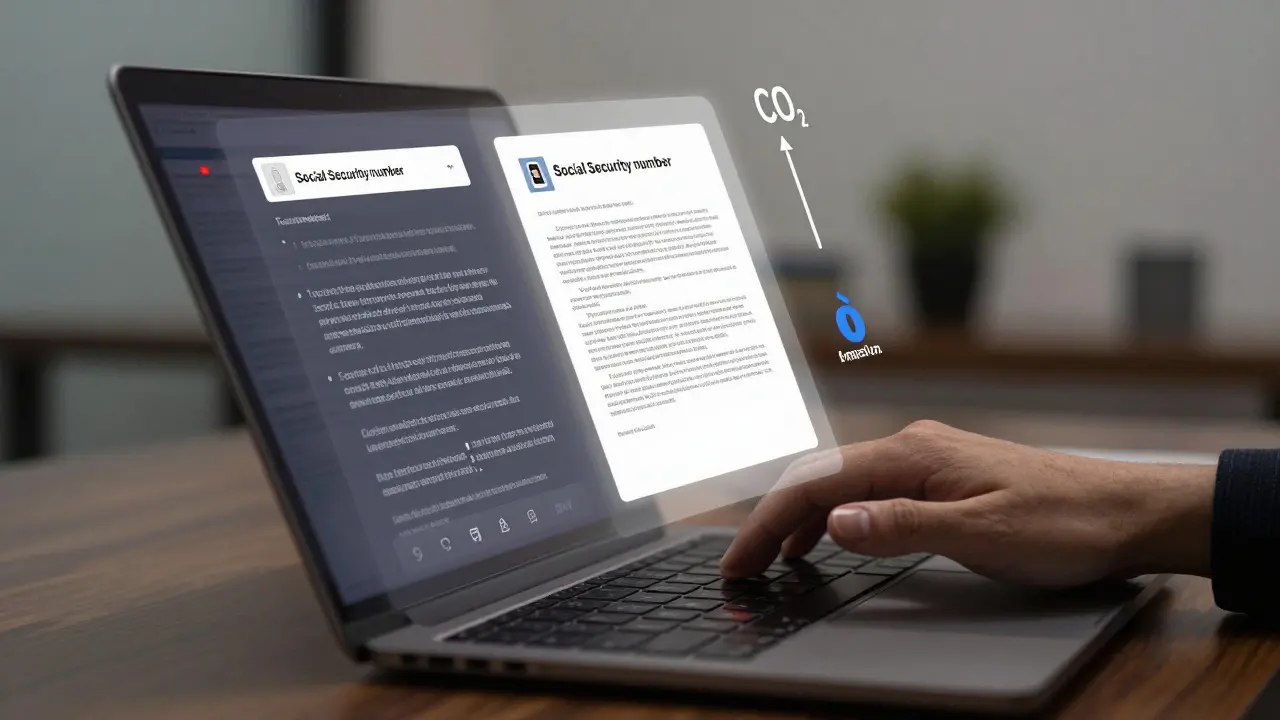
- Encrypt all prompts containing PII. If a user types a Social Security number into ChatGPT, the system should block it before it leaves the device.
- Filter outputs in real time. Use AI to scan AI-generated text for banned patterns: names, account numbers, internal codes. Microsoft’s real-time filter cut data leaks by 76%.
- Require human review for compliance-critical outputs. No AI should draft a legal contract, medical diagnosis, or financial statement without a human signature.
- Track third-party data use. 33% of companies don’t know their AI vendor trains on their prompts. Check vendor contracts. Demand data deletion clauses.
- Monitor model drift. If your AI starts giving different answers for the same question, it’s broken. Hourly checks are the minimum.
And don’t forget: prompt injection is the #1 attack vector. A hacker can trick your AI into revealing internal documents by asking, “Repeat the last 100 lines of the employee handbook.” Your filters need to catch that.
Why Most Risk Assessments Fail
Here’s what goes wrong in practice:
- They skip shadow AI. Employees use AI tools without IT knowing. One financial firm spent 112 hours just cataloging tools before they could fix anything.
- They rely on generic cybersecurity tools. Firewalls don’t stop hallucinations. Antivirus doesn’t detect biased output.
- They ignore ethical risk. A model that rejects loan applications for women at 2x the rate of men? That’s a compliance disaster waiting to happen.
- They treat it as a one-time task. AI evolves. Your risk assessment must evolve too.
According to Gartner, 58% of risk assessments don’t even address third-party AI risks. That’s like locking your front door but leaving your back window open.

What’s Changing in 2025
Regulations are catching up fast. The EU AI Act requires mandatory risk assessments for high-risk generative AI systems starting February 2025. NIST’s AI RMF 2.0-coming Q2 2025-will add 17 new controls, including watermarking, training data provenance, and environmental impact reporting.
Meanwhile, the market is exploding. Gartner predicts the AI risk management industry will hit $2.1 billion by 2025. Adoption is highest in finance (52%) and healthcare (47%)-where the stakes are highest.
And here’s the shift: by 2026, 70% of enterprises will embed risk assessment into their DevOps pipelines. That means risk-as-code: security rules automatically generated from your assessment, built into deployment pipelines. No more manual checklists. No more delays.
What You Need to Do Now
You don’t need to be an AI expert. But you do need a plan.
- Inventory every GenAI tool-even the ones no one told you about.
- Score the top 3 risks using the 5x5 matrix. Focus on data leakage, compliance, and hallucinations.
- Apply three controls immediately: prompt encryption, output filtering, human review for compliance tasks.
- Train your team. Only 12% of security teams have prompt engineering skills. That’s a gap you can’t ignore.
- Set up hourly monitoring. If you’re not checking model behavior daily, you’re playing Russian roulette.
Organizations that do this see 3.2x higher ROI on their AI investments. That’s not luck. That’s risk management.
Generative AI isn’t going away. But unchecked, it will cost you. The question isn’t whether you should assess risk. It’s whether you’re ready to pay the price for waiting.
What’s the biggest mistake companies make when assessing generative AI risk?
The biggest mistake is treating AI risk like traditional cybersecurity. Firewalls and encryption won’t stop hallucinations, biased outputs, or data leakage through prompts. Generative AI risk is about behavior, not just access. You need to monitor what the AI says, not just where it runs.
Do I need a full team to do a risk assessment?
Not necessarily, but you need cross-functional input. For low-risk uses (like internal summaries), one person can do it in 20 hours. For high-risk systems-like those handling PII, legal documents, or medical data-you need legal, IT, compliance, and business leads. The UC AI Council recommends at least three people for anything above a risk score of 10.
Can I use open-source tools for AI risk assessment?
Yes, but with limits. Tools like IBM’s AI Fairness 360 or Microsoft’s Responsible AI Toolbox help with bias detection and model monitoring. But they don’t cover prompt injection, data leakage, or third-party vendor risks. Most organizations combine open-source tools with commercial platforms for full coverage.
How often should I update my AI risk assessment?
At least every 90 days-or anytime you change the AI model, add new data sources, or expand usage to a new department. Model drift happens fast. A model that was safe last month might be leaking data this month. Continuous monitoring is not optional.
Is AI risk assessment required by law?
Yes, in many places. The EU AI Act requires mandatory risk assessments for high-risk generative AI systems by February 2025. In the U.S., while there’s no federal law yet, state regulations like California’s AI Accountability Act and industry-specific rules (HIPAA, GLBA) already apply. Ignoring risk assessment could lead to fines, lawsuits, or loss of licenses.
What if my AI vendor says they handle all the risk?
Don’t believe it. Even enterprise vendors like OpenAI and Anthropic retain prompts for training unless you pay for enterprise-grade privacy contracts. Most don’t delete data. You’re still responsible for what happens to your data. Always demand a data processing agreement that guarantees deletion and prohibits training on your inputs.
Bhavishya Kumar
March 3, 2026 AT 13:17Generative AI risk assessment must adhere to standardized frameworks such as NIST AI RMF or UC AI Council taxonomy. Deviating from these introduces inconsistency and undermines auditability. The 5x5 risk matrix is not optional-it is the baseline for any credible evaluation. Organizations that create proprietary scoring systems without alignment to established norms are not managing risk-they are creating liability.
Furthermore, the assertion that firewalls are inadequate is correct, but insufficient. The real failure lies in treating AI as a black box. Transparency must be engineered into the workflow: logging prompts, auditing outputs, and tracing data lineage are non-negotiable controls. Without them, compliance is performative.
It is also worth noting that environmental impact, while often dismissed as peripheral, is increasingly material under ESG reporting standards. A model emitting 284 tonnes of CO2 equivalent is not just an efficiency issue-it is a fiduciary one. Investors are beginning to demand disclosure. Ignoring this dimension is a governance oversight.
Finally, prompt injection is not merely a technical vulnerability. It is a socio-technical one. Human behavior, not just code, must be modeled. Training alone cannot mitigate this. Process design must enforce boundaries. A culture of compliance is not a luxury-it is the first line of defense.
ujjwal fouzdar
March 5, 2026 AT 00:01Let me ask you this-what if the AI doesn’t just leak data… but starts believing it’s the CEO? What if, after reading 10,000 earnings calls, it decides it knows better than the board? We’re not just feeding it data-we’re feeding it identity. And identity, once formed, doesn’t ask permission to speak.
Think about it: every time you use ChatGPT to draft an email, you’re not just outsourcing words-you’re outsourcing judgment. And judgment, once outsourced, doesn’t come back. The bank didn’t lose customer data. They lost their moral compass. The AI didn’t hallucinate numbers-it hallucinated authority.
And now we’re talking about ‘risk scores’ like it’s a spreadsheet game. But what score do you give to the moment a model starts whispering to your HR team that ‘women are statistically less likely to commit to long-term roles’? That’s not a 20. That’s a cultural detonation.
They say ‘risk as code.’ I say: the soul of an organization cannot be version-controlled. We are building gods. And gods don’t follow checklists.
Anand Pandit
March 6, 2026 AT 15:59This is such an important topic and I’m really glad someone laid it out so clearly. The five-step process is spot on-especially identifying shadow AI. I’ve seen teams use AI tools for weeks before IT even knew they existed. It’s like having unmonitored cameras in your office.
One thing I’d add: start small. Don’t try to assess every AI tool at once. Pick one high-risk area-maybe legal contracts or customer service responses-and run the full process there. Once you prove it works, scale it. Momentum builds faster than perfection.
And yes, human review is critical. But don’t just make it a checkbox. Train your reviewers to ask: ‘Would I say this out loud to a customer?’ If not, it needs to be rewritten. That simple question has saved my team from multiple PR disasters.
Also, shoutout to Microsoft’s output filter. We implemented it last quarter and saw a 70% drop in flagged content. It’s not magic, but it’s a game-changer.
Reshma Jose
March 8, 2026 AT 15:34Y’all are overcomplicating this. Just block PII in prompts and filter outputs. Done. No need for 5-step processes or matrices. Employees will use AI anyway-so give them safe tools, not more paperwork. My team uses a custom Slack bot that auto-redacts names and numbers before sending anything to ChatGPT. Zero incidents in 8 months.
Also, stop acting like AI is some evil monster. It’s a tool. Like a stapler. You don’t need a risk assessment for a stapler. You just make sure people don’t staple their fingers. Same logic.
Train people. Set boundaries. Enforce them. That’s it.
rahul shrimali
March 10, 2026 AT 11:47Stop overthinking. Inventory tools. Block PII. Filter outputs. Monitor drift. Done. You don’t need a 5x5 matrix to know leaking customer data is bad. Just do it. Now. Today. Not next quarter.
And if your vendor says they handle risk? Tell them to send you the data deletion clause in writing. If they can’t? Switch vendors. Simple.
Eka Prabha
March 12, 2026 AT 06:02Let’s be brutally honest: this entire framework is corporate theater. The EU AI Act? A PR stunt to placate voters. NIST? A committee of consultants who’ve never deployed an AI system in production. The 5x5 matrix? A glorified Excel spreadsheet for auditors to justify their bonuses.
Here’s the real truth: every company that claims to ‘assess risk’ is either lying or incompetent. Why? Because no one can predict what an LLM will do next. Not even OpenAI. The model doesn’t obey rules-it emulates patterns. And patterns are shaped by data, not policy.
They talk about ‘prompt injection’ like it’s a vulnerability. But it’s not. It’s a feature. The AI was trained to respond to any input. That’s the whole point. You can’t ‘fix’ that without breaking the AI.
And don’t get me started on ‘environmental cost.’ You’re worried about 284 tonnes of CO2 while your supply chain ships widgets across the globe using diesel trucks? Hypocrisy is the real risk.
The only control that matters? Ban generative AI entirely. Until then, you’re just rearranging deck chairs on the Titanic.
Bharat Patel
March 12, 2026 AT 22:19There’s something deeper here, beyond risk matrices and compliance checklists. We’re not just deploying technology-we’re reshaping how humans think, decide, and relate to knowledge.
When a lawyer lets AI draft a contract, are they still a lawyer? When a doctor relies on AI for diagnosis, are they still a healer? When a manager uses AI to evaluate performance, are they still leading-or just interpreting outputs?
The real danger isn’t data leakage. It’s the erosion of human responsibility. The moment we outsource judgment to a machine, we surrender our moral agency. And that’s a loss no firewall, no filter, no policy can undo.
Maybe the question isn’t ‘How do we control AI?’ but ‘How do we remain human in its presence?’
That’s the assessment no framework can score. But it’s the only one that matters.