Tensor Parallelism 101: Multi-GPU Inference for Large Language Models
 Aug, 31 2026
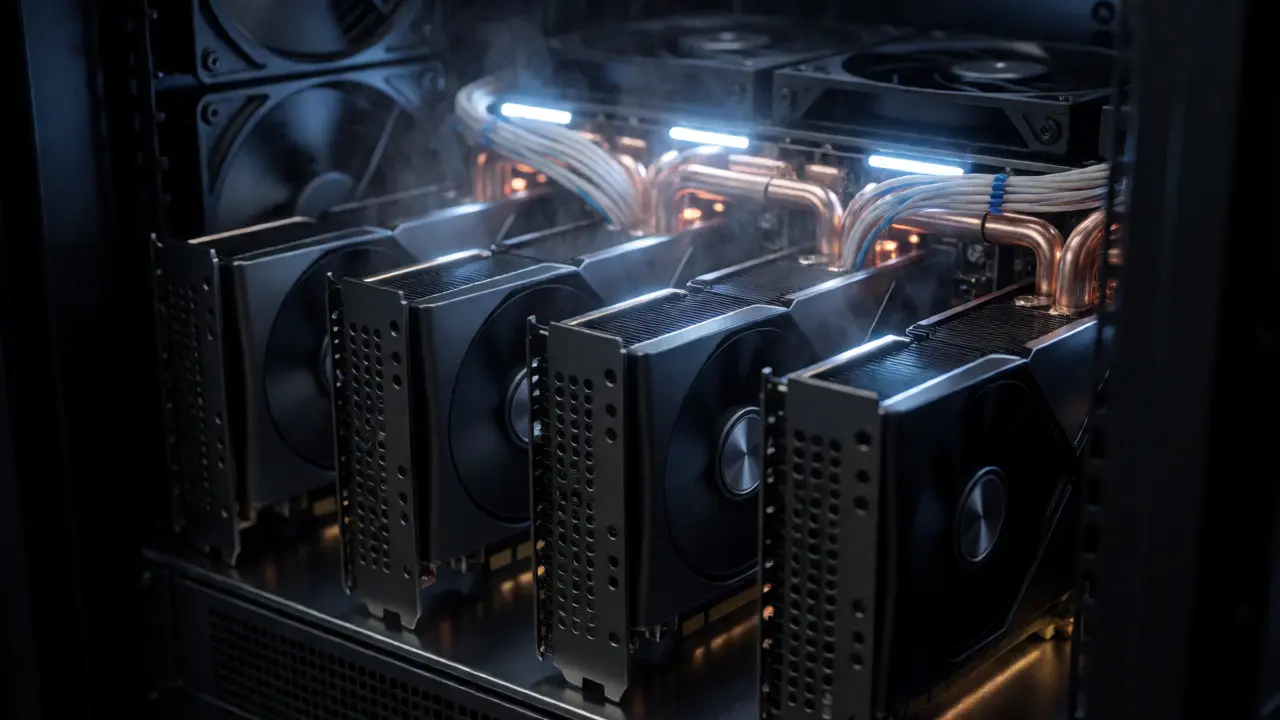
You have a shiny new 70B parameter model and four A100 GPUs. You load it up, and your server throws an Out of Memory error. The math is simple but frustrating: the weights alone require more VRAM than a single card can hold. This is where most engineers hit a wall. They try to squeeze everything onto one device, fail, and then panic about buying more expensive hardware.
But there is a smarter way. It is called Tensor Parallelism. It does not just spread the memory burden; it splits the actual computation across multiple devices so they work in concert. Think of it less like copying a file to two computers and more like slicing a giant pizza so two people can eat it at the same time without fighting over the crust. If you are deploying large language models (LLMs) in production, understanding this technique is no longer optional-it is survival.
The Core Problem: Why Single GPUs Fail at Scale
Modern LLMs are massive. A model like Llama-3-70B requires roughly 140GB of VRAM just to store its weights in FP16 precision. Even the top-tier consumer cards or older enterprise chips cap out at 80GB or less. You physically cannot fit the model into one GPU's memory.
You might ask, "Why not just use Pipeline Parallelism?" That approach stacks layers vertically-GPU 1 handles layers 1-20, GPU 2 handles layers 21-40, and so on. While this saves memory, it creates "pipeline bubbles." While GPU 1 waits for GPU 2 to finish, it sits idle. For latency-sensitive applications like chatbots, that idle time kills performance. Tensor Parallelism solves this by splitting individual layers horizontally. Every GPU works on every layer simultaneously, keeping all hardware busy.
How Tensor Parallelism Actually Works
The magic lies in how matrix multiplication is handled. In a neural network, the heaviest lifting happens in linear layers, which are essentially big matrix multiplications. Tensor Parallelism takes these weight matrices and slices them along the feature dimension.
Imagine a weight matrix $W$ with dimensions $d \times d$. Instead of storing the whole thing on one GPU, we split it into two columns, $W_1$ and $W_2$, each $d \times d/2$. We place $W_1$ on GPU 1 and $W_2$ on GPU 2. When an input vector $x$ comes in, we replicate it on both GPUs. Each GPU computes a partial output: $y_1 = x \cdot W_1$ and $y_2 = x \cdot W_2$. Finally, we sum these partial outputs ($y = y_1 + y_2$) to get the final result.
This process relies on two specific communication patterns defined in the seminal Megatron-LM paper by NVIDIA Research:
- Column Parallelism: Used for QKV projections in attention layers. Inputs are replicated; outputs are gathered.
- Row Parallelism: Used for output projections. Inputs are split; outputs are summed via an All-Reduce operation.
By alternating between these two, the system minimizes data movement. The heavy lifting stays local; only small intermediate results travel between GPUs.
The Communication Bottleneck: NVLink vs. PCIe
Here is the catch: splitting computations means GPUs must talk to each other constantly. Every time a layer finishes its partial calculation, the GPUs need to synchronize. This is where your hardware infrastructure matters more than your code.
If you connect GPUs via standard PCIe 4.0, bandwidth is limited to about 32 GB/s per direction. For a 70B model, the synchronization overhead can consume 15-25% of your total inference time. You effectively pay a "communication tax" for every token generated.
NVIDIA’s NVLink changes the game. It provides up to 600 GB/s bidirectional bandwidth between connected GPUs. Benchmarks from AMD and NVIDIA show that using NVLink reduces communication overhead by nearly 35% compared to PCIe. If you are running tensor parallelism on a cloud instance without high-speed interconnects, you might find that adding a fourth GPU actually makes things slower due to latency.
| Interconnect Type | Bandwidth (Bidirectional) | Estimated Overhead Reduction | Best Use Case |
|---|---|---|---|
| PCIe 4.0 | ~32 GB/s | Baseline | Small models (<13B), low concurrency |
| NVLink Gen 3 | ~600 GB/s | ~35% faster sync | Large models (70B+), high throughput |
| InfiniBand/EFA | ~100-400 GB/s | Variable (latency heavy) | Multi-node pipeline parallelism |

Implementing TP with Modern Frameworks
You do not need to write custom CUDA kernels to get this working. Major inference engines have abstracted the complexity. As of late 2023 and early 2024, three frameworks dominate the landscape:
- vLLM: Uses PagedAttention and supports tensor parallelism out of the box. It is highly optimized for throughput and is the go-to for many startups.
- Hugging Face Text Generation Inference (TGI): Offers robust support for TP via the `--tensor-parallel-size` flag. It integrates seamlessly with the Hugging Face ecosystem.
- NVIDIA TensorRT-LLM: Provides the highest performance by compiling models into optimized engines. It requires more setup but yields the best latency metrics.
A typical command to launch a 70B model on 4 GPUs using TGI looks like this:
tgi serve --model-id meta-llama/Llama-2-70b-chat-hf --tensor-parallel-size 4Under the hood, the framework detects the number of available GPUs and automatically shards the model weights. However, you must ensure the number of attention heads in the model is divisible by the tensor parallel degree. If a model has 64 heads and you set TP=5, the split won't be even, leading to errors or inefficient padding.
When Not to Use Tensor Parallelism
Tensor Parallelism is powerful, but it is not a silver bullet. It shines in single-node deployments where GPUs are tightly coupled. Once you cross the node boundary-say, connecting two servers over Ethernet-the latency spikes. AWS documentation notes that EFA networking adds 1.2-2.5ms latency per synchronization point. For a model with 80 layers, that adds up quickly.
For multi-node setups, hybrid approaches are better. You might use Pipeline Parallelism across nodes (to reduce cross-node communication) and Tensor Parallelism within each node (to maximize intra-node speed). This combination is often referred to as 3D Parallelism when combined with Data Parallelism for batch scaling.
Also, consider Mixture-of-Experts (MoE) models like Mixtral. Here, Expert Parallelism is often superior to Tensor Parallelism. Instead of slicing every expert's weights across all GPUs, Expert Parallelism assigns complete experts to specific GPUs. This reduces cross-GPU communication by 40-60% because tokens only need to route to the specific GPU holding the relevant expert, rather than synchronizing every layer.
Troubleshooting Common Pitfalls
If you are debugging TP issues, look for these common culprits:
- All-Reduce Timeouts: If your GPUs hang during generation, check your NCCL timeout settings. Network hiccups can cause one GPU to wait forever for another. Increasing the timeout threshold often fixes transient stalls.
- Uneven Splits: Ensure your model architecture supports the chosen TP degree. If the hidden dimension isn't evenly divisible by the number of GPUs, you will face memory imbalances.
- Memory Fragmentation: Sometimes, even if total memory fits, fragmentation prevents allocation. Using quantization (like INT8 or FP8) alongside TP can alleviate this by reducing the size of intermediate activations passed between GPUs.
The Future: Hybrid and Automated Strategies
The industry is moving toward automation. Manually tuning TP degrees is tedious. New tools are emerging that profile your specific hardware and workload to recommend the optimal parallelism strategy. NVIDIA’s recent updates to TensorRT-LLM include communication compression techniques that reduce the volume of data sent between GPUs by up to 50% using FP8 quantization.
As models grow larger, pure Tensor Parallelism will likely evolve into context-aware hybrid systems. These systems will dynamically adjust how much of the model is sharded versus pipelined based on real-time request patterns. But for now, mastering basic TP is the foundation upon which all advanced LLM deployment rests.
Can I use Tensor Parallelism on consumer GPUs?
Yes, but with caveats. Consumer GPUs lack NVLink, relying on PCIe instead. This increases communication overhead. While you can run smaller models (like 13B or 30B parameters) on 2-4 consumer cards, scaling to 70B+ becomes inefficient due to bandwidth limitations. It is feasible for hobbyists but risky for production latency requirements.
Does Tensor Parallelism increase batch size capacity?
No. Tensor Parallelism reduces memory usage per GPU by sharding weights, allowing larger models to fit. However, it does not inherently increase the batch size you can process. To scale batch size, you need Data Parallelism, which replicates the model across GPUs. Often, you combine TP for model size and DP for throughput.
What is the difference between Tensor Parallelism and Pipeline Parallelism?
Tensor Parallelism splits individual layers horizontally across GPUs, requiring frequent synchronization but offering lower latency. Pipeline Parallelism splits the model vertically by assigning different layers to different GPUs, resulting in less communication but introducing "pipeline bubbles" where GPUs sit idle waiting for previous stages to finish.
Do I need special software to enable Tensor Parallelism?
You need a framework that supports it, such as vLLM, Hugging Face TGI, or TensorRT-LLM. Underneath, these rely on PyTorch Distributed or NCCL libraries. You generally do not need to modify your model code manually; the framework handles the sharding logic during initialization.
Why is my inference slower with 4 GPUs than with 2?
This usually indicates communication overhead outweighing computational gains. Check your interconnect speed (NVLink vs. PCIe) and ensure your model's attention heads are divisible by the TP degree. Also, verify that you aren't hitting CPU bottlenecks in tokenization or post-processing, which don't benefit from GPU parallelism.
Art HND
September 1, 2026 AT 17:09Most people reading this are still trying to run 70B models on consumer cards and crying about latency. You need NVLink or you're wasting your time.
Susan Cole
September 1, 2026 AT 22:45I appreciate the clear distinction between TP and PP here. It helps clarify why my previous setup felt sluggish despite having enough VRAM. I will look into checking my interconnect speeds before buying more hardware.
Elizabeth Brooks
September 3, 2026 AT 11:46Great writeup! Just a heads up for anyone using TGI, make sure your NCCL version matches your CUDA drivers or youll get weird hangs. Also, dont forget that attention head divisibility is super important, i wasted two days debugging that exact issue last week. If your model has 32 heads and you try TP=5, it breaks silently sometimes.
Zach Loescher
September 4, 2026 AT 02:32I wonder if there are any benchmarks comparing vLLM's PagedAttention specifically with tensor parallelism vs just standard batching? Curious how much the memory fragmentation actually impacts real-world throughput when you have variable sequence lengths.
Quintin Franzese
September 4, 2026 AT 13:42Sure, because everyone has $50k lying around for A100s with NVLink. For the rest of us plebs, PCIe is what we got. And honestly, for most hobby projects, the 'communication tax' is irrelevant compared to the cost of renting cloud GPUs all day. But yeah, nice theory post.
Art HND
September 5, 2026 AT 16:42If you can't afford the hardware, don't deploy production LLMs. That's the reality.
Tamara Miller
September 7, 2026 AT 14:03This article is absolutely essential!!!. However, it completely ignores the environmental impact of spinning up four A100s for every single request...?. The energy consumption alone should be a major factor in decision making!!.. We are burning through resources like crazy without even thinking about it!!.. People just want faster tokens and ignore the carbon footprint...?. It is lazy engineering at best!!..