Data Extraction Prompts in Generative AI: Structuring Outputs into JSON and Tables
 May, 31 2026
You have a messy PDF invoice, a scanned contract with merged cells, or an email thread full of unstructured text. You need that data in your database, clean and ready to query. For years, this meant building brittle regular expressions or hiring humans to copy-paste rows into Excel. Now, you can ask a large language model (LLM) to do the heavy lifting. But if you just type "extract the data," you’ll get a paragraph of prose-not the JSON is a lightweight data-interchange format based on JavaScript object notation object your API expects.
This is where Data Extraction Prompts are specialized instructions designed to direct LLMs to convert unstructured information into structured formats like JSON and tables come in. They bridge the gap between natural language processing and enterprise data pipelines. According to industry reports from Gartner in October 2025, by 2027, 75% of enterprise data extraction workflows will incorporate these generative AI techniques, up from just 32% in 2025. The shift isn’t just about speed; it’s about reliability. Traditional rule-based logic required 15-20 hours of weekly maintenance for complex formats. With proper prompting, that drops to 2-3 hours monthly.
The Anatomy of a Reliable Extraction Prompt
Most people fail at data extraction because they treat the LLM like a search engine. It’s not. It’s a pattern-matching engine that needs strict boundaries. If you don’t define the shape of the output, the model will improvise. And improvisation breaks parsers.
A robust prompt follows a three-part structure defined by IBM Developer’s March 2024 guidelines: task definition, parameter specification, and output format declaration. Let’s break down what that looks like in practice.
- Task Definition: Clearly state what you want extracted. Instead of "get the info," use "Extract the vendor name, invoice date, total amount, and line items."
- Parameter Specification: Define constraints. Specify data types (string, integer, float), handling for missing values (use `null`, not "N/A"), and date formats (ISO 8601).
- Output Format Declaration: Demand valid JSON. Explicitly forbid markdown code blocks if your parser cannot handle them, or explicitly request them if your system strips them automatically.
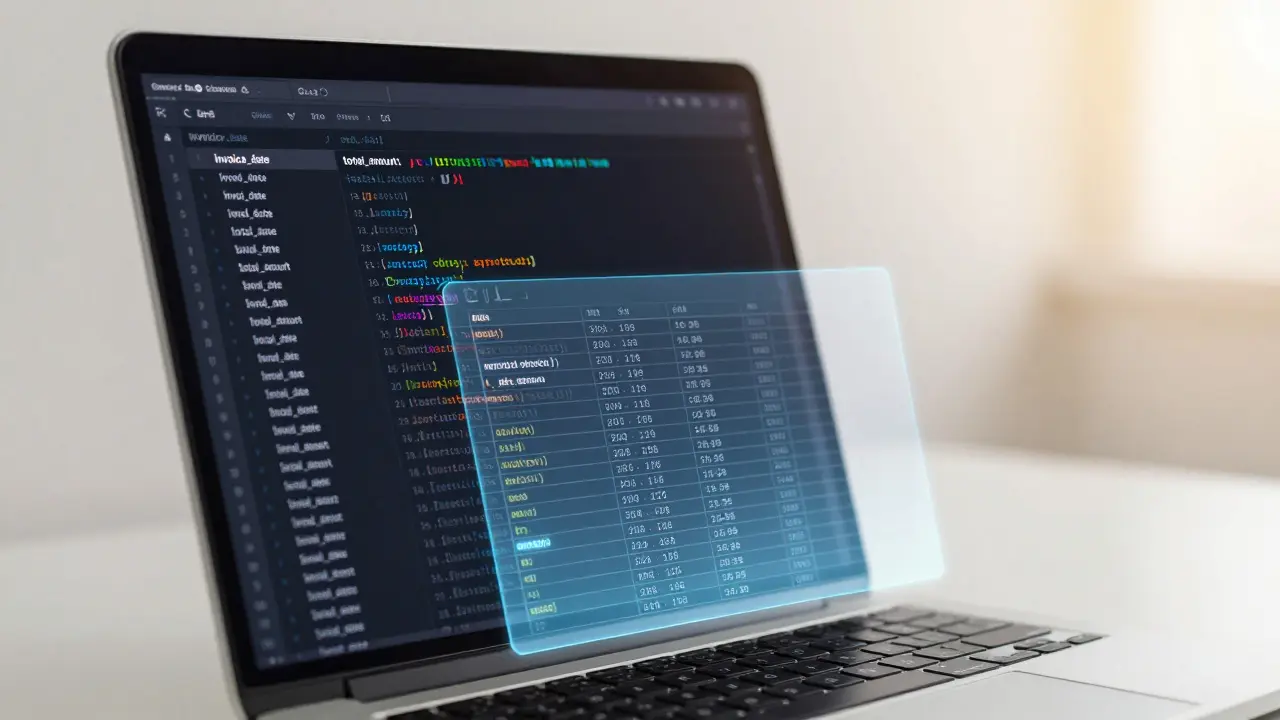
Google Cloud’s Vertex AI documentation, updated in November 2025, emphasizes that successful implementations require "precise instructions about the desired JSON structure including field names, data types, and nesting requirements." A generic prompt might yield: ```json { "date": "May 1st", "total": "$100" } ``` A structured prompt yields: ```json { "invoice_date": "2026-05-01", "total_amount": 100.00 } ``` The difference is the difference between a broken pipeline and a smooth one.
Taming Complex Tables: Merged Cells and Multi-Level Headers
Tables are the bane of data extraction. Scanned documents often contain merged cells, multi-level headers, and irregular grids. Traditional OCR systems struggle here because they rely on pixel-perfect grid detection. Generative AI, however, uses contextual understanding to infer structure.
DocsBot AI’s technical prompt version 2.1, released in June 2024, outlines five critical requirements for table extraction:
- Flatten Multiple Header Rows: Combine hierarchical headers into single flat keys (e.g., "Q1_Revenue" instead of nested objects).
- Propagate Merged Cell Values: If a cell spans three rows, repeat its value in all three corresponding JSON objects.
- Manage Irregular Structures: Handle missing columns by inserting `null` rather than shifting data left.
- Preserve Header-Data Relationships: Ensure every row maps correctly to its column headers, even if alignment is visually off.
- Strict JSON Adherence: Output only the JSON array, no explanatory text.
Microsoft’s Azure OpenAI case study from April 2024 demonstrated this approach on email data extraction. By integrating Python libraries like `pandas` and `beautifulsoup4` with LLM outputs, they achieved 92.7% accuracy on cross-table consolidation tasks. The key was instructing the model to normalize inconsistent column names before extraction. For example, mapping "Amt", "Amount", and "Total $" all to a single key: `total_amount`.
Why Your JSON Is Breaking (And How to Fix It)
Even with perfect prompts, errors happen. A YouTube tutorial by Andy O’Neil in June 2025 documented that 68% of initial JSON outputs from AI models contain formatting errors. Common culprits include:
- Trailing Commas: JSON does not allow commas after the last element in an array or object.
- Unescaped Quotes: Text containing double quotes inside string values breaks the structure unless escaped (`\"`).
- Invisible Characters: Copy-pasting from PDFs often introduces zero-width spaces or non-breaking hyphens.
- Nesting Errors: Mismatched brackets `{}` or `[]` due to hallucinated fields.
To mitigate this, Dr. Sarah Chen, Principal AI Researcher at Google Cloud, recommends including explicit failure handling instructions. Add this line to your prompt: "If any data is missing or uncertain, output `null` rather than guessing." Microsoft found this simple addition reduced error rates by 37%.
For post-processing, users on Reddit’s r/MachineLearning suggest using tools like Make.com’s Replace function to strip invisible characters before parsing. Another pro tip: implement a three-tier validation system as described in Microsoft’s case study:
- Schema Validation: Check against a predefined JSON Schema.
- Cross-Field Consistency: Verify logical relationships (e.g., `end_date` must be after `start_date`).
- Human-in-the-Loop: Flag edge cases for manual review.
With this setup, Microsoft achieved 98.2% accuracy on table extraction tasks.
| Approach | Maintenance Time | Accuracy on Complex Docs | Development Cost |
|---|---|---|---|
| Rule-Based Regex | 15-20 hours/week | Low (breaks on layout changes) | High (custom coding) |
| Traditional OCR | Medium | Medium (struggles with merged cells) | Medium |
| Generative AI Prompts | 2-3 hours/month | High (with validation) | Low (prompt engineering) |
Platform-Specific Strategies: Google, Microsoft, and Specialized Tools
Not all platforms are created equal. Your choice depends on your existing stack and document complexity.
Google Cloud Vertex AI offers a comprehensive prompt gallery with 12 distinct patterns for document processing, including specific templates for "Stock price table as JSON." Their strength lies in integration with BigQuery and Dataflow. However, user reviews note that troubleshooting guidance scores lower (3.2/5 stars) compared to examples (4.5/5 stars).
Microsoft Azure OpenAI excels in enterprise environments with strong Python support. Their Structured Output Framework, announced at Build 2025, includes automatic schema validation and retry mechanisms, reducing JSON parsing errors by 89% in beta testing. This is ideal for teams already using pandas and SQL Server.
DocsBot AI targets niche table extraction from images. Their Q2 2025 user survey showed a 4.8/5 rating for table-specific guidance. They handle pre-processing steps like deskewing and denoising within the prompt chain, which is crucial for low-quality scans. For image-heavy workflows, their specialized approach outperforms general-purpose LLMs.

Implementation Roadmap: From Zero to Production
Don’t jump straight into production. Follow IBM’s four-step implementation strategy:
- Schema Definition (2-5 hours): Map out every field, its type, and possible values. Create a JSON Schema file.
- Prompt Engineering (5-15 hours): Draft prompts with few-shot examples. Include positive examples (correct output) and negative examples (what to avoid).
- Validation System Development (8-20 hours): Build code to validate outputs against your schema. Implement retry logic for failed parses.
- Integration Testing (3-10 hours): Test with real-world messy data. Measure accuracy and adjust prompts iteratively.
Expect a learning curve. Developers with prior prompt engineering experience take 12-15 hours to become proficient. Beginners may need 25-30 hours. TechFlow Inc., in a HackerNews case study from April 2025, reported an initial 80-hour investment but saved 65 hours monthly thereafter.
Compliance and Security: Don’t Leak PII
As adoption grows, so do risks. GDPR and HIPAA compliance requires careful prompt design. In Microsoft’s case study, 12% of initial implementations accidentally included sensitive personal identifiable information (PII) in error messages. To prevent this:
- Redact Before Sending: Mask SSNs, credit card numbers, and names in the input text before sending to the LLM.
- Restrict Output Scope: Explicitly list allowed fields. If "social_security_number" isn’t in the schema, the model shouldn’t extract it.
- Audit Logs: Keep records of inputs and outputs for compliance reviews.
The JSON Prompting Consortium, founded in September 2025 with members from Google, Microsoft, and IBM, is developing common standards to address these security concerns. Stay tuned for updates on their shared validation protocols.
How do I handle missing data in JSON extraction?
Instruct the model to output `null` for missing fields rather than omitting them or guessing values. This ensures your JSON structure remains consistent and predictable for downstream parsers.
Can generative AI replace traditional OCR?
Not entirely. Traditional OCR is faster and cheaper for simple text recognition. However, for complex layouts like merged tables or handwritten notes, generative AI provides better contextual understanding and structure inference, especially when combined with OCR pre-processing.
What is the best way to validate JSON output from an LLM?
Use a JSON Schema validator. Define your expected structure in a schema file and run the LLM output against it. If validation fails, trigger a retry with a modified prompt or flag for human review.
How much does it cost to implement data extraction prompts?
Costs vary by platform and volume. Basic extraction tasks require 20-50 tokens per request. Complex tables may exceed 300 tokens. While there are API costs, the reduction in development and maintenance time (often 40-60%) usually offsets these expenses significantly.
Are there security risks with sending documents to LLMs?
Yes. Always redact sensitive PII before sending data to public LLM APIs. Use private instances or on-premise models for highly regulated industries like healthcare and finance to ensure compliance with GDPR and HIPAA.
Elmer Burgos
June 2, 2026 AT 02:43hey everyone, just wanted to say this is a really helpful guide. i've been struggling with regex for months and this looks like a much better way to handle the messy data we get from clients. thanks for sharing!
Sally McElroy
June 3, 2026 AT 01:53The notion that we can simply delegate our cognitive labor to machines is deeply troubling. We are abdicating our responsibility to understand the very data that shapes our reality. If you do not know what is in your invoice, how can you claim ownership of it? This is not efficiency; it is spiritual decay. We must remain vigilant against the seduction of ease.
Destiny Brumbaugh
June 3, 2026 AT 23:08make america great again by using american tech! microsoft azure is the only way to go. google is trying to spy on us all the time. use azur open ai and keep the jobs here at home. dont trust those foreign servers.
Jason Townsend
June 4, 2026 AT 11:24they want you to believe this works but its all a lie. the big tech companies are feeding you garbage data to train their models so they can control what you see. json is just a tool for surveillance. wake up sheeple.
Sara Escanciano
June 4, 2026 AT 17:15You people are disgusting for even considering outsourcing basic tasks to algorithms. It is morally bankrupt. Where is the human touch? Where is the care? You are treating workers as obsolete and that is evil. I hope your pipelines break forever.
Antwan Holder
June 5, 2026 AT 18:21I feel a profound emptiness when I read about 'structured outputs.' The chaos of unstructured text is where the soul resides! To flatten headers and propagate merged cells is to kill the beauty of ambiguity. Why do we need order? Why can't we just let the data scream into the void? I am crying tears of digital despair because someone wants to parse a PDF into JSON. It is tragic. It is heartbreaking. The machine eats our dreams one bracket at a time.
Angelina Jefary
June 7, 2026 AT 03:05Your grammar in the title is acceptable, but the content reeks of conspiracy. Google and Microsoft are working together to harvest your biometric data through these prompts. They track every keystroke. Do not send your invoices to the cloud. Print them out and burn them. Trust no one.