OCR and Multimodal Generative AI: Extracting Structured Data from Images
 Jul, 29 2026
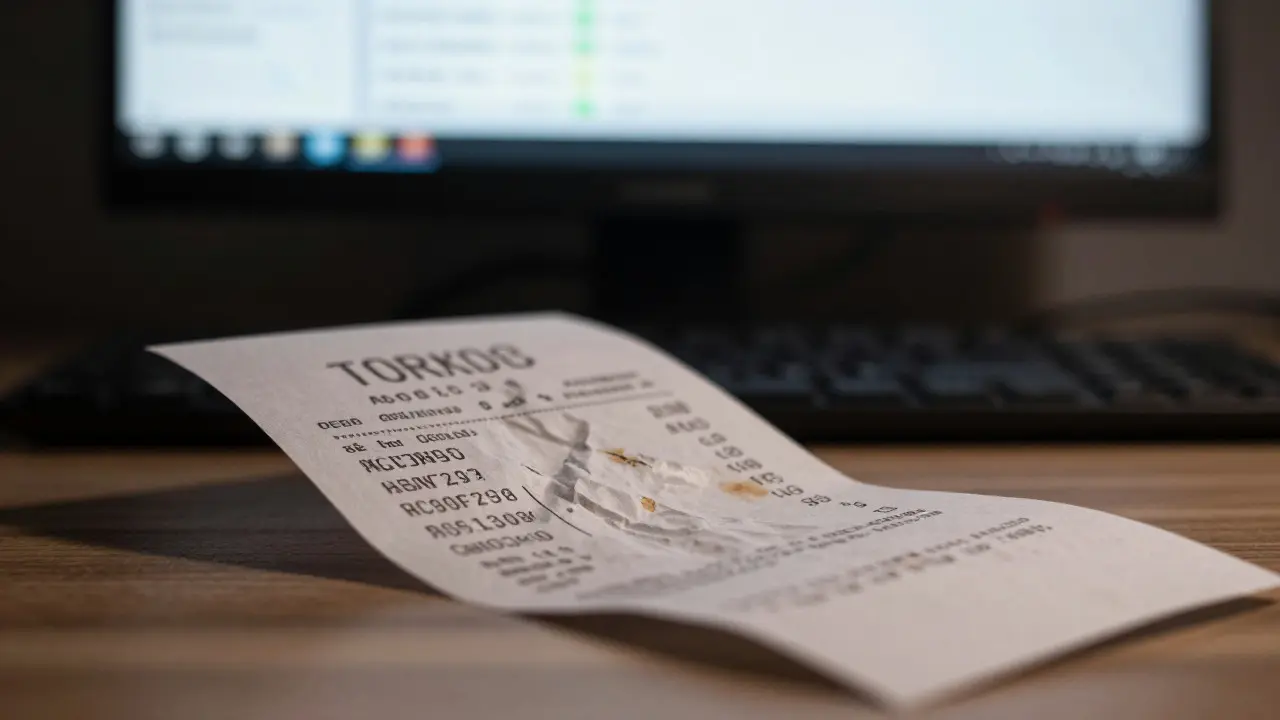
Imagine trying to read a crumpled receipt with faded ink, or deciphering a handwritten medical note on a cluttered desk. For decades, traditional Optical Character Recognition (OCR) is a technology that converts images of typed or handwritten text into machine-encoded text struggled with these messy realities. It could handle clean scans, sure, but the moment you introduced shadows, complex layouts, or human error, accuracy plummeted. That era is ending. We are now entering the age of multimodal generative AI, where systems don't just "see" pixels-they understand context, layout, and meaning simultaneously.
This shift isn't just about better text recognition; it's about extracting truly structured data from unstructured visual chaos. Whether you're automating invoice processing, digitizing legal contracts, or analyzing technical manuals, the tools available in 2026 have fundamentally changed how we approach this problem. Let’s break down what’s actually working right now, who is leading the charge, and how you can implement these solutions without getting bogged down in complexity.
The Evolution From Pixel Matching to Contextual Understanding
To appreciate why multimodal AI is such a big deal, you first need to understand the limitations of the old guard. Traditional OCR engines like Tesseract (version 5.3.0) rely on pattern matching. They look for shapes that resemble letters. On a crisp, black-and-white scan, this works beautifully-achieving around 94% accuracy. But throw in a curved font, a busy background, or even a slight rotation, and that accuracy can drop below 70%. The system doesn't know that a word is supposed to be "invoice" because it’s next to a dollar amount; it just sees dark pixels on a light background.
Vision-Language Models (VLMs) are AI models that combine visual processing with natural language understanding to interpret images change the game by adding a layer of reasoning. Instead of just detecting characters, these models analyze the entire image as a semantic unit. If the text is distorted, the VLM uses its knowledge of language structure and visual context to infer what the text likely says. This is why modern systems maintain over 85% accuracy even on heavily distorted documents-a massive leap forward. Google’s research team confirmed this in their October 2024 report, showing that their Gemini-based multimodal capabilities improved text extraction accuracy by 18.7% on documents with complex backgrounds compared to previous-generation OCR systems.
The key difference lies in architecture. Older systems required separate steps for text detection and recognition. Newer approaches, like TrOCR (Transformer-based OCR), use a unified Transformer model to handle both tasks simultaneously. This eliminates the error propagation that often plagued multi-stage pipelines. However, this power comes with a trade-off: computational cost. Multimodal models typically require 5 to 10 times more processing resources than traditional OCR engines. You’re trading speed and efficiency for robustness and intelligence.
Major Players and Their Multimodal Solutions
The market for AI-powered document processing is exploding, projected to reach $3.92 billion by 2027. Several tech giants have built sophisticated platforms to capture this demand. Here’s how the major players stack up in 2026:
| Platform | Key Technology | Pricing Model (Approx.) | Best Use Case |
|---|---|---|---|
| Google Document AI | Gemini Foundation Models | $1.50 per 1,000 pages (specialized processors) | Custom domain-specific extraction (invoices, contracts) |
| AWS Textract | AnalyzeDocument API | $0.0015/page (basic); $0.015/page (analytic) | High-volume table and form extraction |
| Microsoft Azure Form Recognizer | Azure AI Document Intelligence | $1.00 per 1,000 pages (layout analysis) | Enterprise integration within Microsoft ecosystems |
| NVIDIA NeMo Retriever | Microservices Architecture | On-premise/GPU-based licensing | High-throughput, privacy-sensitive environments |
Google Document AI stands out for its flexibility. With the introduction of Custom Extractor version 2.0 in November 2024, users can fine-tune models using just 5-10 sample documents. This is a huge reduction from the hundreds of examples previously required. In real-world tests, one developer reported achieving 94.7% accuracy on 12,000 invoices after providing only eight training examples. The platform offers 14 domain-specific processors for things like procurement and lending, with accuracy rates ranging from 92% to 98%.
AWS Textract remains a powerhouse for volume. Its AnalyzeDocument API is particularly strong at identifying tables and forms. However, user feedback suggests mixed results with complex financial statements. One engineer noted that 30% of extracted tables required significant manual restructuring despite using the advanced TABLES feature. If your documents follow standard formats, Textract is hard to beat on price and scale. If they’re chaotic, you might face cleanup headaches.
Microsoft Azure Form Recognizer (now part of Azure AI Document Intelligence) shines in layout preservation. Their December 2024 update improved fidelity to 95.2%, addressing past complaints about broken sentences and random spacing. It’s the go-to choice if you’re already deep in the Microsoft ecosystem, though non-.NET developers may find the learning curve steep.
NVIDIA NeMo Retriever takes a different approach, focusing on high-performance microservices. It can process over 1,200 documents per minute on a single A100 GPU. This makes it ideal for organizations that need to keep data on-premise due to privacy regulations or those requiring extreme throughput. The documentation is highly rated (4.7/5), making it easier to integrate into custom pipelines.
Technical Challenges and Real-World Pitfalls
While the hype around multimodal AI is justified, implementation is rarely plug-and-play. One of the biggest hurdles is handling non-standard document formats. Microsoft’s own documentation admits that documents with highly variable layouts may require 20-30% more training samples to achieve acceptable accuracy. If your invoices change format every month, no amount of AI magic will save you without significant preprocessing.
Another critical issue is hallucination. Professor Emily Bender from the University of Washington raised concerns in her November 2024 ACM article about over-reliance on LLMs for document processing. Her team tested 5,000 business cards through GPT-4o and found a hallucination rate of 12.3%. This means the AI sometimes invents plausible-looking data that isn’t there. For financial or legal documents, this is unacceptable. Always implement validation mechanisms, such as JSON Schema checks, to ensure output quality.
Table extraction remains a specific pain point. IBM’s Docling system, while state-of-the-art for standard tables, produces "generally unusable" output when data doesn’t follow rigid grid structures. If you’re dealing with merged cells, nested tables, or irregular alignments, expect to spend time cleaning up the data post-extraction. Pre-processing pipelines using tools like OpenCV to enhance image clarity before sending them to the AI can mitigate some of these issues.
Implementation Strategy: Getting Started in 2026
If you’re ready to move beyond traditional OCR, here’s a practical roadmap for integrating multimodal AI into your workflow:
- Define Your Schema Early: Don’t just extract text; define what you need. Are you looking for invoice numbers, dates, and total amounts? Create a clear JSON schema that matches your downstream database requirements. This guides the AI to focus on relevant fields.
- Start Small with Custom Training: Use platforms like Google Document AI Workbench to upload 5-10 representative samples. Label the fields manually. This small investment pays off by drastically reducing manual correction later.
- Implement Pre-Processing: Use OpenCV or similar libraries to correct skew, enhance contrast, and remove noise from images before they hit the AI model. Clean input leads to cleaner output.
- Validate Rigorously: Never trust raw AI output blindly. Implement automated checks against known patterns (e.g., date formats, currency symbols). Flag low-confidence extractions for human review.
- Monitor Costs: Multimodal processing is expensive. Track your usage closely. For high-volume needs, consider batching requests or using on-premise solutions like NVIDIA NeMo if you have the GPU infrastructure.
According to AWS Professional Services data from Q4 2024, initial setup typically takes 2-4 weeks. Developers need proficiency in Python and API integration. If you have intermediate Python skills, you can get basic functionality running in 3-5 days, but building robust custom extractors requires more time and testing.
Future Outlook: Where Is This Heading?
The trajectory is clear: multimodal document understanding is becoming as fundamental to enterprise AI as language models are today. Gartner predicts that by 2026, 80% of enterprise document processing workflows will incorporate multimodal AI, up from just 25% in 2023. This surge is driven by the ability to reduce manual review time by 40-60%.
We’re also seeing tighter integration between OCR systems and RAG (Retrieval-Augmented Generation) frameworks. By end of 2025, 73% of enterprise AI leaders plan to implement multimodal RAG solutions. This means your extracted data won’t just sit in a database; it will feed directly into intelligent search and chat interfaces, allowing employees to ask questions like "What was the total spend on marketing last quarter?" and get instant answers derived from scanned PDFs.
Regulatory pressures are also shaping the landscape. The EU AI Act, effective February 2025, requires transparency in AI systems used for legally binding decisions. This is pushing vendors to enhance explainability features, so you can see exactly why an AI made a certain extraction decision. As we move forward, expect to see more emphasis on audit trails and confidence scoring alongside the extracted data.
Is multimodal AI better than traditional OCR for all documents?
Not necessarily. For clean, standardized documents with simple layouts, traditional OCR like Tesseract is faster and cheaper. Multimodal AI shines when dealing with complex backgrounds, handwritten text, distorted fonts, or documents where context is needed to understand ambiguous content. If your documents are consistently formatted and high-quality, you might not need the extra power-and cost-of multimodal models.
How much does it cost to process documents with multimodal AI?
Costs vary significantly by provider. Google Document AI charges around $1.50 per 1,000 pages for specialized processors. AWS Textract ranges from $0.0015 to $0.015 per page depending on the level of analysis. Microsoft Azure offers a free tier of 500 pages per month, then charges $1.00 per 1,000 pages for layout analysis. Keep in mind that multimodal processing generally requires 5-10x more computational resources than traditional OCR, so costs can add up quickly at scale.
Can multimodal AI accurately extract data from handwritten notes?
It’s much better than traditional OCR, but still imperfect. Systems like TrOCR achieve about 89.2% accuracy on handwritten content across diverse fonts and languages, compared to 98.7% on printed text. Contextual understanding helps, but illegible handwriting remains a challenge. For critical applications, always include a human-in-the-loop verification step for handwritten inputs.
What is the risk of hallucination in document extraction?
Hallucination occurs when the AI generates plausible but incorrect data. Research indicates hallucination rates can reach 12.3% in unstructured document processing scenarios. To mitigate this, use strict schema validation (like JSON Schema), set confidence thresholds, and implement automated checks for logical consistency (e.g., ensuring dates are valid and totals match line items).
Do I need a large dataset to train custom multimodal extractors?
No, one of the biggest advantages of modern multimodal AI is its few-shot learning capability. Google Document AI, for example, allows you to create custom extractors with just 5-10 sample documents. This is a dramatic improvement over older methods that required hundreds or thousands of labeled examples. However, for highly variable layouts, you may need 20-30% more samples to achieve optimal accuracy.
Sabrina Newland
July 30, 2026 AT 18:50omg this is so interesting 😍 i always thought ocr was just magic but now i see it's actually understanding context 🤯 like how does the ai know what a receipt is vs a letter? is it looking at the layout or the words? i feel like we are living in the future already and its kinda scary but also cool 🚀✨
Elizabeth Brooks
July 30, 2026 AT 22:24I've been wrestling with Textract for our invoice pipeline and honestly, the table extraction is a nightmare. The article mentions that 30% of tables need manual restructuring, which aligns perfectly with my experience. We ended up writing a custom post-processing script using OpenCV to clean up the bounding boxes before feeding them into our database. If you're dealing with messy financial statements, don't trust the raw JSON output blindly. Also, the cost adds up faster than you think if you aren't batching requests properly.
Mark Harvey
July 31, 2026 AT 12:48great breakdown here. i really appreciate the practical roadmap section. starting small with custom training is key because most people try to boil the ocean right away. keep going you got this 💪
Art HND
August 1, 2026 AT 22:39It's not magic. It's statistical probability wrapped in marketing speak. The hallucination rate of 12.3% is terrifying for legal docs. Most companies will ignore it until they get sued.
Amara Akbar
August 2, 2026 AT 01:00That is a very valid concern regarding the legal implications. However, the implementation strategy section highlights the importance of validation mechanisms such as JSON Schema checks. By implementing these safeguards, organizations can mitigate the risk significantly. It is encouraging to see that the industry is moving towards more robust verification steps rather than blind reliance on the models.
Deb Kortyna, MBA
August 3, 2026 AT 18:56The distinction between traditional OCR and multimodal AI is critical, yet often overlooked by executives who view AI as a panacea. The computational cost trade-off mentioned-5 to 10 times more resources-is a significant operational hurdle that requires careful budgeting. Furthermore, the mention of the EU AI Act underscores the necessity for transparency in these systems. Organizations must ensure their chosen vendor provides adequate explainability features to comply with emerging regulatory frameworks. This is not merely a technical upgrade; it is a strategic imperative for enterprise governance.
alex kobri
August 4, 2026 AT 23:08the real question is whether the data privacy concerns outweigh the convenience. sending sensitive documents to google or aws feels risky even if they claim security. nvidia nemo seems better for on-premise but do you really have the gpu infrastructure to handle it efficiently without burning through your budget
Brandon Olvera
August 5, 2026 AT 08:20We should be building this tech here not relying on foreign clouds.