Prompting for Reproducible Builds: Pinning Versions and Lockfiles
 Oct, 2 2026
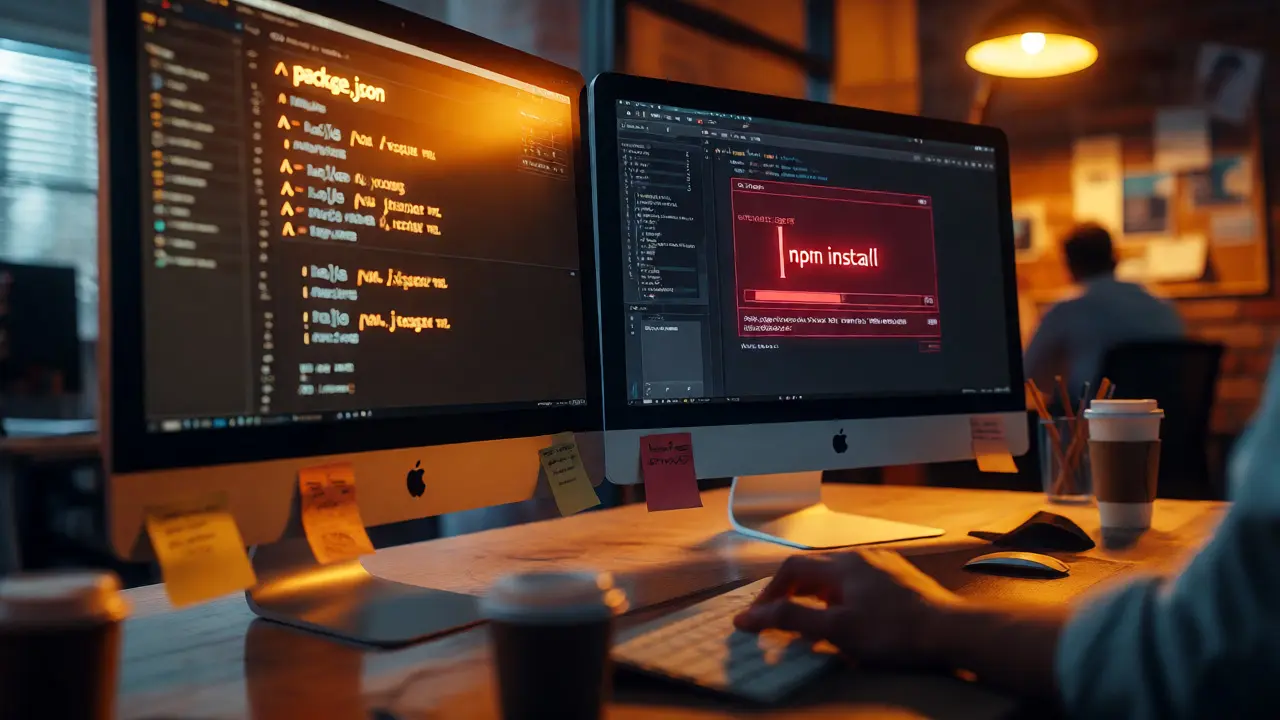
You push your code. The CI pipeline runs green. You deploy to production. Two days later, a teammate pulls the same commit, runs npm install, and their build fails with a cryptic error about a missing module or a mismatched hash. Sound familiar? This isn't just bad luck; it's the silent killer of software reliability. It happens because "latest" is a moving target. Today, we're looking at how to stop chasing ghosts by forcing determinism into your build process through strict version pinning and robust lockfiles.
Why "It Works on My Machine" Is a Lie
The core promise of modern development is that if you have the source code, you can rebuild the application exactly as intended. In reality, most default package managers resolve dependencies dynamically. If you specify lodash@^4.17.0, the installer might grab 4.17.20 today and 4.17.21 tomorrow. While semver promises backward compatibility within minor versions, bugs happen. A patch release might introduce a subtle regression that breaks your specific use case. When this happens, your build becomes non-reproducible. You cannot verify that the binary running in production matches the source code you audited. This gap opens the door to supply chain attacks and makes debugging nightmares.
The Three Levels of Build Determinism
Not all reproducible builds are created equal. The VMware Open Source Blog outlines a maturity model that helps us understand where we stand. First, there are repeatable builds. These control the steps via scripts but don't necessarily control every input. They run in the same order, but outputs might vary slightly due to timestamps or random seeds. Next are rebuildable builds. These capture intermediate artifacts and repository states, allowing you to reproduce an equivalent build later, though not necessarily bit-for-bit identical. Finally, we aim for binary reproducible builds (or hermetic builds). These guarantee bit-for-bit identical outputs given the same inputs, regardless of who runs them or when. To get here, you must eliminate hidden variables: system time, file paths, and-most critically-unpinned dependencies.
Lockfiles: Your Single Source of Truth
A lockfile is the artifact that enforces reproducibility. It records the exact version, integrity hash, and resolved tree of every dependency in your project. Without it, you're relying on the package manager's resolution algorithm, which can change between versions of the tool itself. With it, you freeze the state. Different ecosystems handle this differently, but the principle remains the same: explicit over implicit.
| Ecosystem | Manifest File | Lockfile Name | Key Feature |
|---|---|---|---|
| JavaScript/Node.js | package.json | package-lock.json / yarn.lock / pnpm-lock.yaml | Records integrity hashes (SHA-512) for each package. |
| Python | requirements.txt / pyproject.toml | poetry.lock / Pipfile.lock | Often requires explicit hashing flags for full security. |
| Rust | Cargo.toml | Cargo.lock | Automatically generated and committed by default. |
| Go | go.mod | go.sum | Verifies cryptographic checksums of modules. |

Pinning Strategies That Actually Work
Simply having a lockfile isn't enough if you ignore it. Many teams treat lockfiles as disposable, deleting them during updates or ignoring merge conflicts. Here is how to prompt your team toward better habits.
- Commit the Lockfile: This sounds obvious, but many .gitignore templates still exclude lockfiles for libraries (though they should be included for applications). For applications, the lockfile is part of the source code. Never gitignore it.
- Use Exact Versions in Manifests: While the lockfile handles transitive dependencies, pinning your direct dependencies to exact versions (e.g.,
1.2.3instead of^1.2.3) reduces resolution ambiguity. Tools like Dependabot or Renovate can manage these bumps automatically. - Enforce Integrity Checks: Ensure your CI pipeline uses commands that respect the lockfile. For npm, use
npm ciinstead ofnpm install. For Yarn, useyarn --frozen-lockfile. These commands fail if the lockfile doesn't match the manifest, preventing silent drift.
The Hidden Variables Breaking Your Builds
Even with perfect lockfiles, other factors can ruin reproducibility. Did you know that some C bindings compile differently depending on the headers installed on the host machine? Or that certain build scripts perform network calls during installation? These are "Turing-complete" problems where the build script itself alters the output based on external state. To combat this, containerize your build environment. Use Docker or Nix to define the OS, compiler version, and system libraries explicitly. This moves the problem from "what packages did I install?" to "what image did I use?", which is much easier to pin.

Prompting Developers to Adopt Discipline
How do you get engineers to care about this? Don't lecture them on theory. Show them the pain. Set up a pre-commit hook that blocks pushes if the lockfile is out of sync with the manifest. Create a dashboard that shows build success rates correlated with lockfile usage. Frame it as security: "If we can't reproduce the build, we can't prove the binary is safe." This shifts the narrative from bureaucratic overhead to risk mitigation. Additionally, automate the tedious parts. Let tools like Renovate open PRs to update dependencies, so developers only need to review the diff, not manually edit JSON files.
Common Pitfalls and How to Avoid Them
One major pitfall is "lockfile drift." This occurs when a developer installs a new package, commits the manifest, but forgets to commit the updated lockfile. The next person installs, gets different transitive dependencies, and chaos ensues. Prevent this by configuring your linter or CI to check for consistency. Another issue is platform-specific binaries. Some packages include native binaries compiled for specific OS/architecture combinations. If your lockfile locks in a macOS binary, your Linux CI will fail. Ensure your lockfile supports multi-platform resolution or use tools that download binaries post-installation based on the current environment.
Frequently Asked Questions
What is the difference between a manifest and a lockfile?
The manifest (like package.json or Cargo.toml) declares your direct dependencies using semantic version ranges. The lockfile records the exact resolved versions of all dependencies, including transitive ones, along with integrity hashes. The manifest describes intent; the lockfile describes reality.
Should I commit my lockfile to version control?
Yes, for applications. Committing the lockfile ensures that everyone on the team and every CI server installs the exact same dependency tree. For libraries, practices vary, but committing it is increasingly common to ensure consistent testing environments.
Why does npm install behave differently than npm ci?
npm install may update the lockfile if the installed versions don't match the manifest's constraints. npm ci deletes node_modules and installs strictly according to the lockfile. It fails immediately if there's a mismatch, making it ideal for reproducible CI builds.
Can I achieve reproducible builds without containers?
You can achieve high levels of reproducibility, but true binary reproducibility often requires controlling the OS-level dependencies too. Containers help isolate these variables, but strict version pinning and hermetic build systems (like Bazel or Nix) can also achieve this without Docker.
What is a supply chain attack in this context?
A supply chain attack involves compromising a dependency upstream. If you don't pin versions or verify hashes, a malicious actor could publish a compromised version of a popular library, and your build would silently pick it up, introducing malware into your application.